Set up a website monitor
A website monitor scans one website from the countries you choose and sends every cookie, tag, pixel, iframe, and network request it finds to the Action Center for review.
Prerequisites
- The website's address. A homepage URL, or a sitemap URL if you want to scan many pages.
- A consent banner on the site, for consent compliance checks. The monitor runs consent compliance checks on sites managing consent with Astralis. It finds assets on any site.
Set up the monitor
- Add the countries to scan from. Go to Settings > Locations and turn on every country the monitor should visit the website from. The monitor's Locations field only offers countries that are turned on here.
- Create a website integration. On the Integrations page, select Add integration, choose Website, and enter a name and the website URL. Name the integration after the website, then select Save.
- Test the connection. On the integration, select Test connection to confirm Astralis can reach the website. The test uses the same connection a scan uses, so sites behind a web application firewall aren't falsely reported as unreachable.
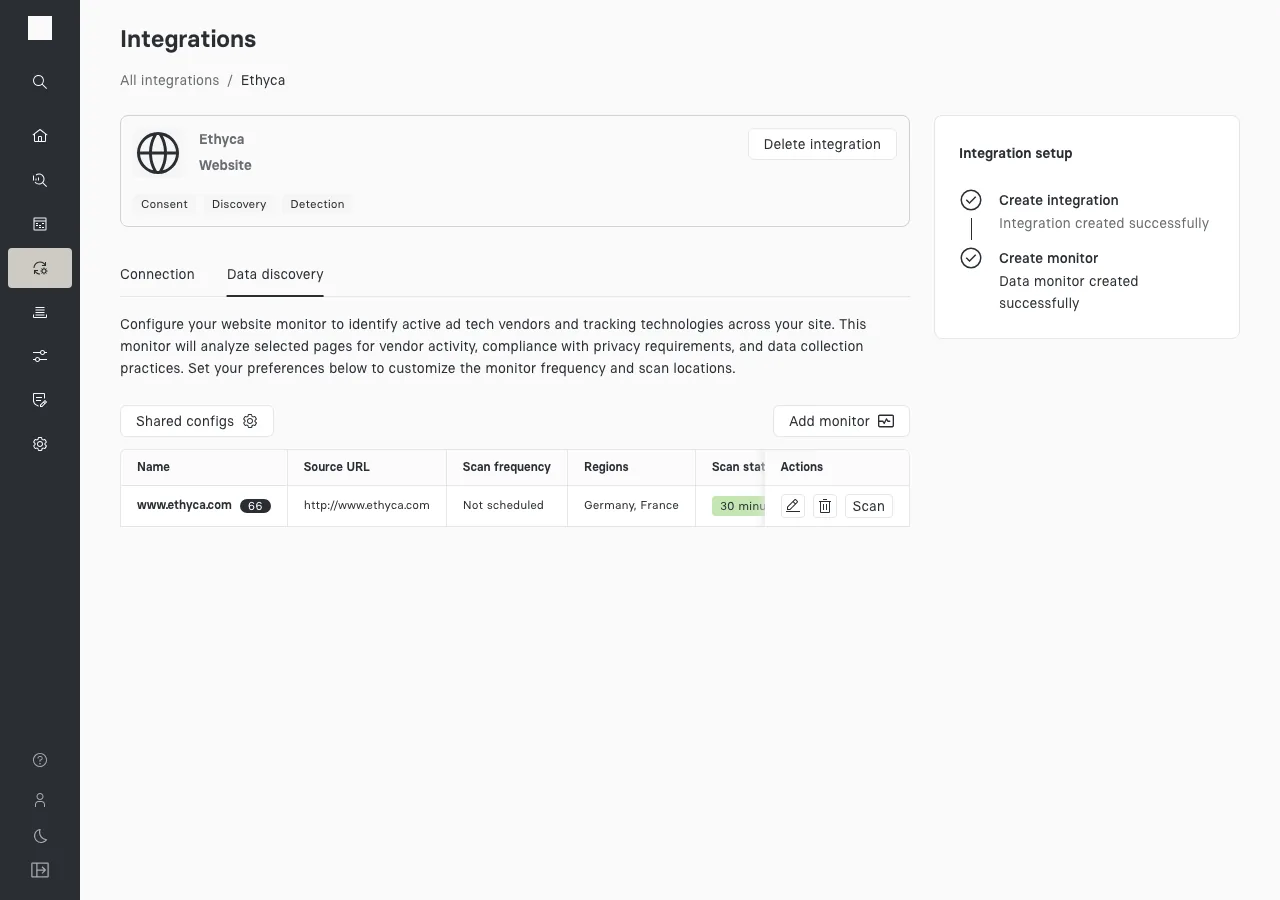
- Add a website monitor. Open the Data discovery tab and select Add monitor. Fill in the fields described in Choose the monitor settings, set Automatic execution frequency to Not scheduled, then select Save. If the form warns that saving starts a scan, that scan is your first scan: skip the next step.
- Run the first scan. In the monitor's row on the Data discovery tab, select Scan.
- Verify the results. Open the Action Center and select the monitor. Confirm it lists the vendors and assets it found, then continue with acting on the results.
Choose the monitor settings
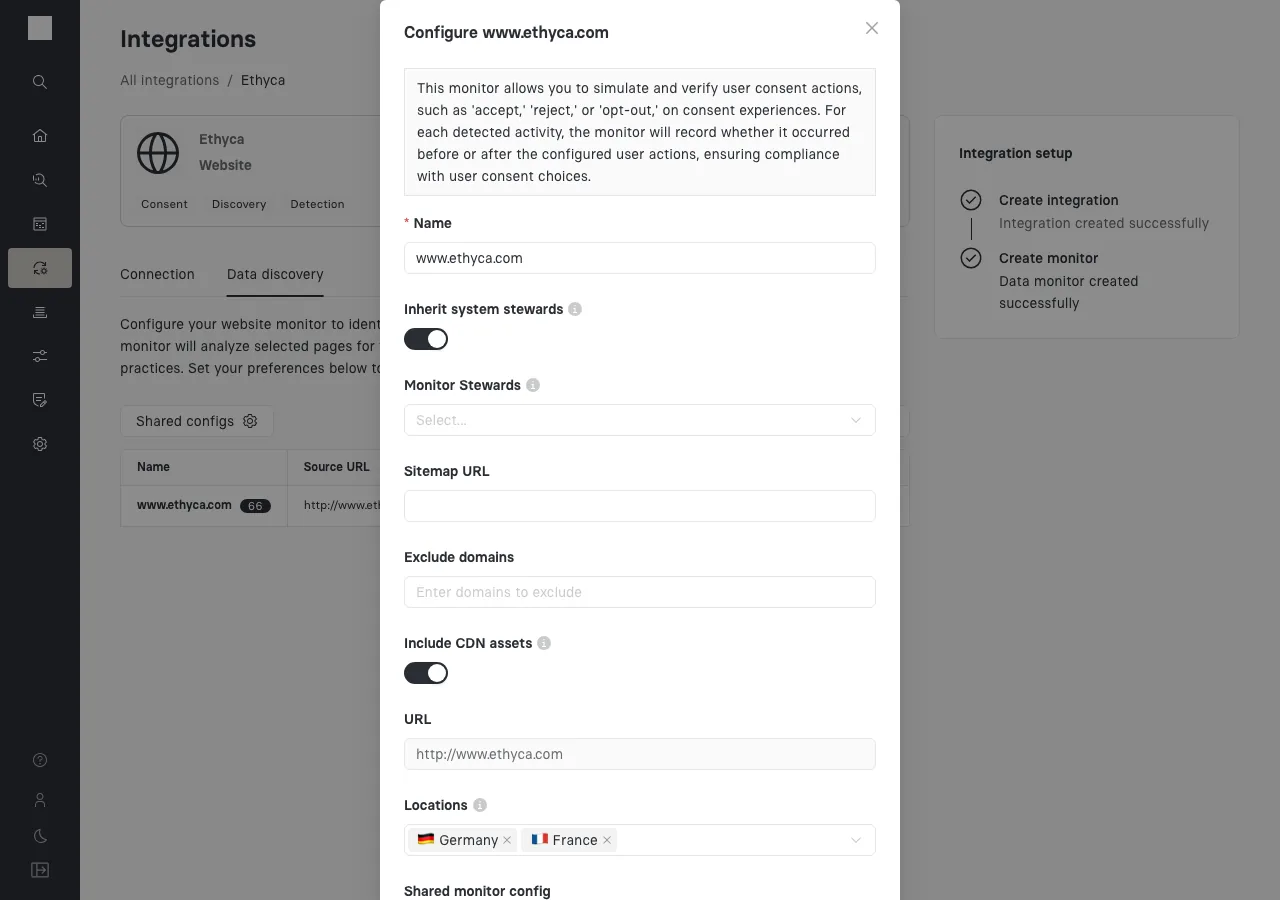
| Field | What it does |
|---|---|
| Name | A unique name for the monitor, shown in the Action Center. |
| Inherit system stewards | Makes the stewards of the integration's system stewards of this monitor too. |
| Monitor Stewards | The people who own the assets this monitor finds. Stewards can filter the Action Center to the monitors they own. |
| Sitemap URL | Scans the pages listed in a sitemap instead of only the URL. The monitor scans the first 500 pages. Most sites publish their sitemap location in /robots.txt. |
| Exclude domains | Domains the monitor leaves out of its results, such as an image host that carries no personal data. |
| Include CDN assets | Keeps assets served from a known content delivery network (CDN) in the review queue. When it's off, the monitor ignores CDN assets automatically, because a CDN doesn't identify the vendor. You can still restore them from the Ignored tab. The setting applies to future scans only. |
| URL | The website URL from the integration. To change it, edit the integration. |
| Locations | The countries the monitor visits the website from. Each location scans every page again. |
| Shared monitor config | Applies a saved set of classification settings shared across monitors. |
| Use LLM classifier [Experimental] | Lets the monitor use AI to suggest a vendor and categories of consent for assets Compass doesn't recognize. |
| Automatic execution frequency | The schedule: Monthly, Quarterly, Yearly, or Not scheduled. Start with Not scheduled and run the first scans by hand. |
| Automatic execution start time | When scheduled scans start. Pick a period of low traffic. |