Privacy assessments
Privacy assessments in Astralis automate the production of Data Protection Impact Assessments (DPIAs), Privacy Impact Assessments (PIAs), Fundamental Rights Impact Assessments (FRIAs), state-level Data Protection Assessments (DPAs), and Records of Processing Activities (ROPAs). Astralis reads your existing system inventory, including data use declarations, data categories, datasets, and processing activities, and uses an AI agent to pre-fill assessment answers on your behalf. Your privacy team then reviews, edits, and supplements those answers before exporting the completed document.
Assessments are required by GDPR Article 35, the UK GDPR, and several US state privacy laws including California CPRA, Colorado CPA, and Virginia VCDPA. Conducting them manually is time-consuming and error-prone. Astralis eliminates the blank-page problem: every answer starts with structured, verifiable evidence pulled directly from your data map.
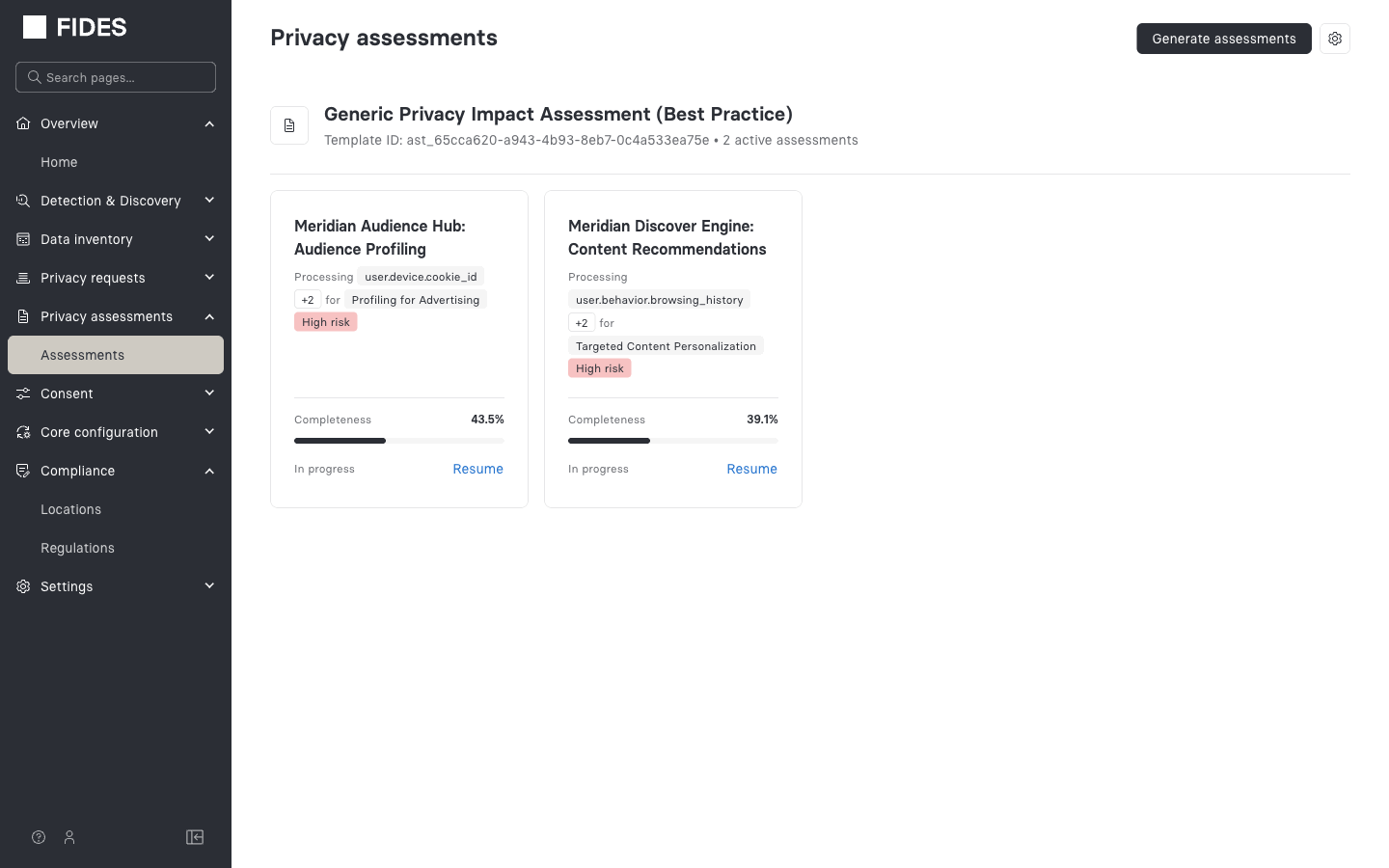
Supported assessment types
Astralis includes eleven assessment templates covering major regulatory frameworks:
| Name | Region | Authority / standard |
|---|---|---|
| GDPR Data Protection Impact Assessment | EU / EEA | GDPR Article 35, EDPB guidance |
| UK GDPR DPIA | United Kingdom | UK GDPR Article 35, ICO guidance |
| EU AI Act Fundamental Rights Impact Assessment | European Union | EU AI Act (Regulation 2024/1689), Article 27 |
| California CPRA / CCPA Risk Assessment | California, USA | CPRA / CCPA, CPPA final rules (2025) |
| Colorado CPA Data Protection Assessment | Colorado, USA | Colorado Privacy Act |
| Virginia VCDPA Data Protection Assessment | Virginia, USA | Virginia CDPA |
| US Multi-State Data Protection Assessment | USA (generic) | Multiple state privacy laws |
| Generic Privacy Impact Assessment | Global | CNIL PIA methodology |
| UK ICO Record of Processing Activities (ROPA) | United Kingdom | UK GDPR Article 30, ICO guidance |
| Ireland DPC Record of Processing Activities (ROPA) | Ireland | EU GDPR Article 30, DPC guidance |
| France CNIL Record of Processing Activities (ROPA) | France | EU GDPR Article 30, CNIL guidance |
You can run multiple templates against the same system in one generation job. Astralis creates a separate assessment for each system-template combination.
How the workflow works
- Generate: Select one or more assessment templates and optionally scope to specific systems. Astralis runs a background AI job that reads your system data and pre-fills answers.
- Review: Open each assessment and work through the question groups. AI-generated answers are labelled "Agent". Edit any answer inline; every change is versioned and auditable.
- Fill gaps: For questions the AI couldn't answer (labelled "Needs input"), send a Slack questionnaire to subject-matter experts. Monitor responses and send reminders from within the assessment.
- Re-evaluate: When system data changes, re-run generation to update only the affected answers while preserving your human edits.
- Export: Download a PDF with clean question-and-answer formatting for signing or sharing.
Learn more
- How assessments work: core concepts including AI pre-fill, answer versioning, risk detection, and evidence
- Generating assessments: step-by-step guide to creating your first assessment
- Reviewing & editing assessments: navigating question groups, editing answers, and viewing history
- Slack questionnaire: sending unanswered questions to SMEs via Slack
- Re-evaluating assessments: keeping assessments current after system changes
- Exporting as PDF: downloading a completed assessment as a PDF
- Configuration: AI model, Slack channel, tone, and reassessment settings
- Assessment types reference: detailed reference for all eleven templates
- API reference: full endpoint documentation