Privacy Requests: Configuring Databases
Introduction
In this tutorial, you'll configure a privacy request integration for a database. By the end of this tutorial, you'll understand the relationship between systems, integrations, datasets, and databases as well as how to connect, configure and test an integration.
Prerequisites
For this tutorial you will need:
- The role of
OwnerorContributorfor your Astralis organization. - At least one system on your Data Map. Read how to add systems to the Data Map now.
- Connection information and credentials for the database you intend to integrate for privacy requests.
Integrating Privacy Requests to Databases
In order to securely connect to a database and process privacy requests, Astralis requires credentials to the database and a schema labeled with the personal information in the system.
In Astralis, a database schema is referred to as a dataset. Read about creating and maintaining datasets in Astralis here.
Configuring a Database Integration
To start, navigate to Data map → View systems to view a list of your current systems.
If you have not already added your database to Astralis, read how to add systems to the Data Map now.
Select a System to Edit
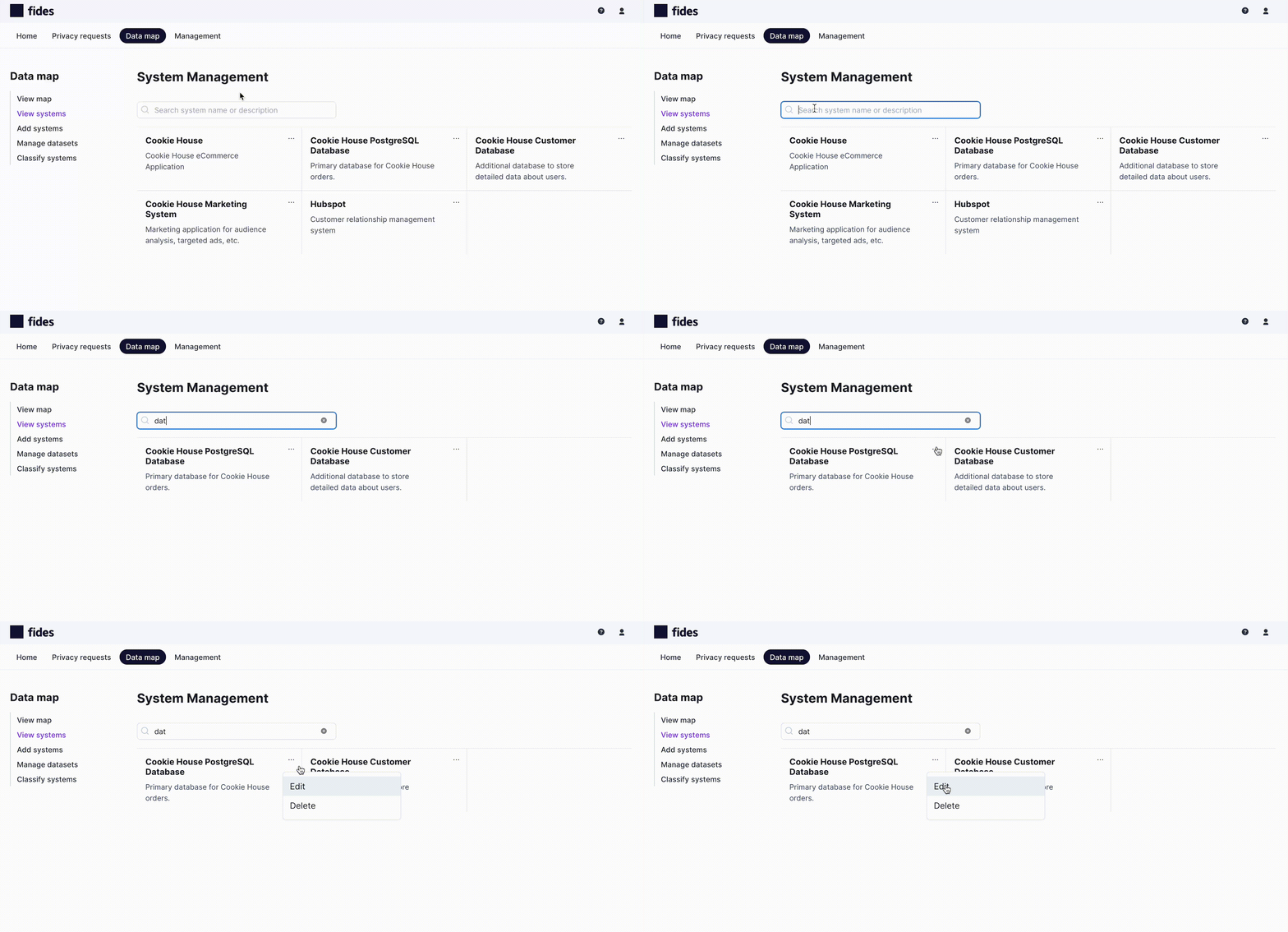
From here you can search for the system you want to edit, or select directly from the list.
To edit click the Kebab ... menu and select Edit as shown below:
View the System Integrations Tab
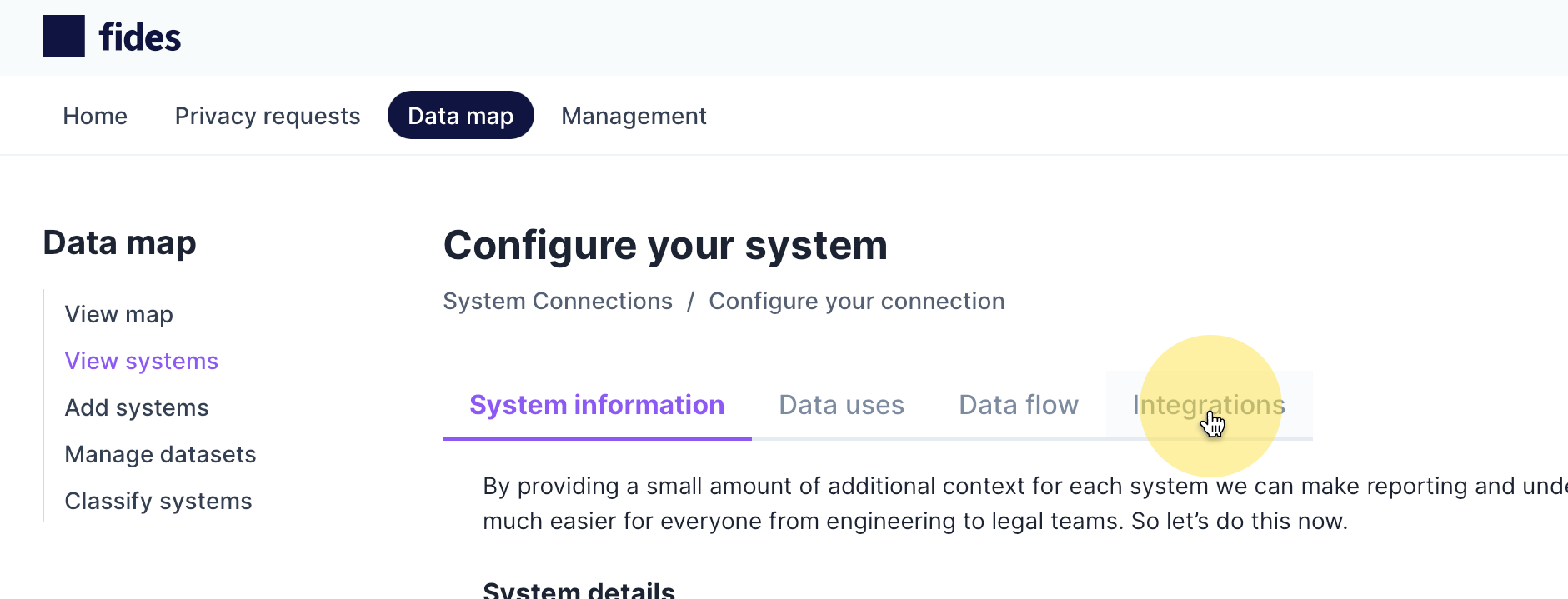
From the System Information tab, navigate to the Integrations tab as shown below:
Select the Integration to Configure
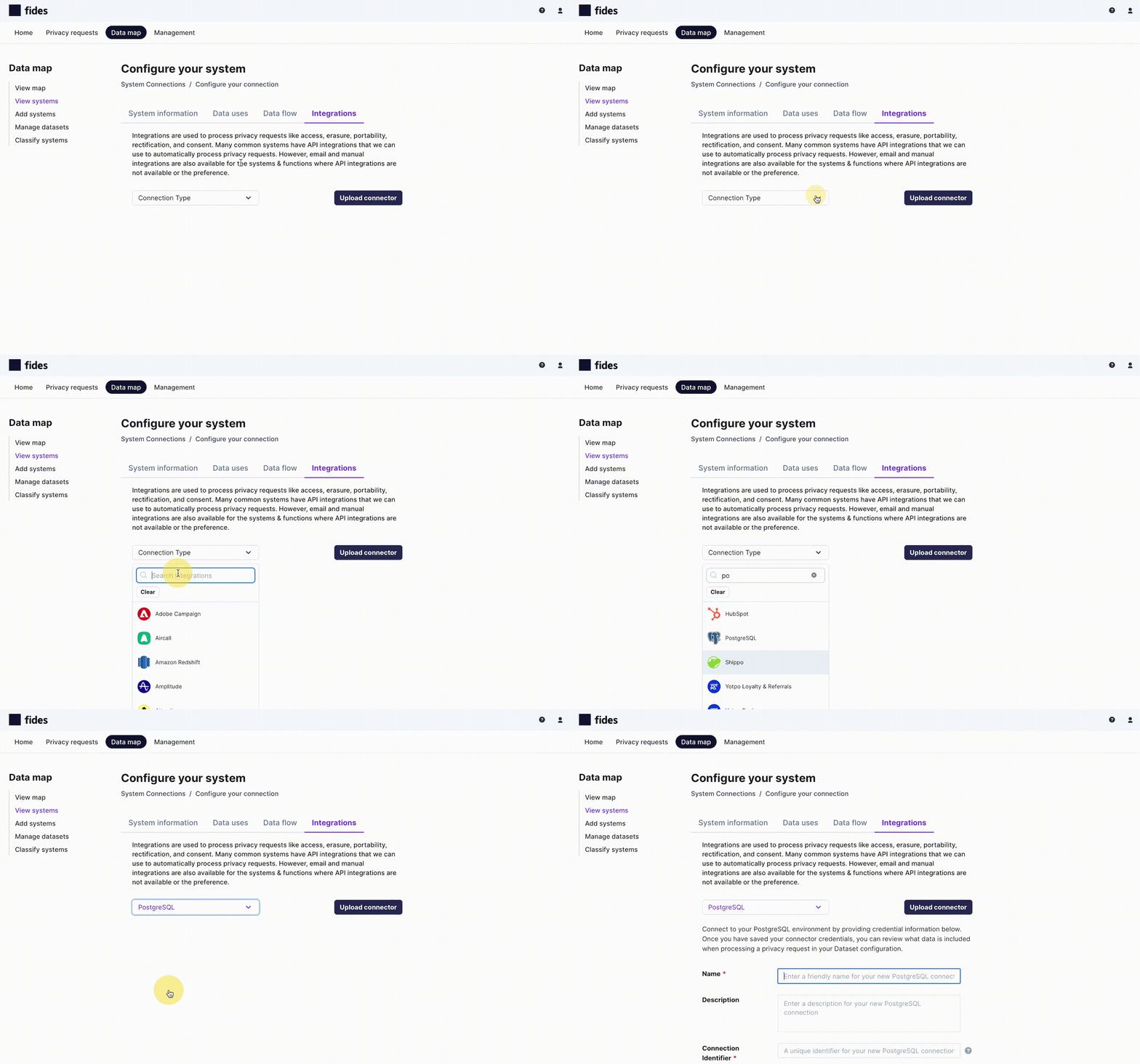
On the System Integrations tab select the Connection Type dropdown and search for the integration you'd like to add for the selected system.
Configure the Database Integration
Every database integration requires the following fields to be configured:
- Integration Name - The name of the database integration being configured.
- Integration Description - A description of the database integration being configured.
- Connection Identifier- A unique key to identify the database integration within Astralis.
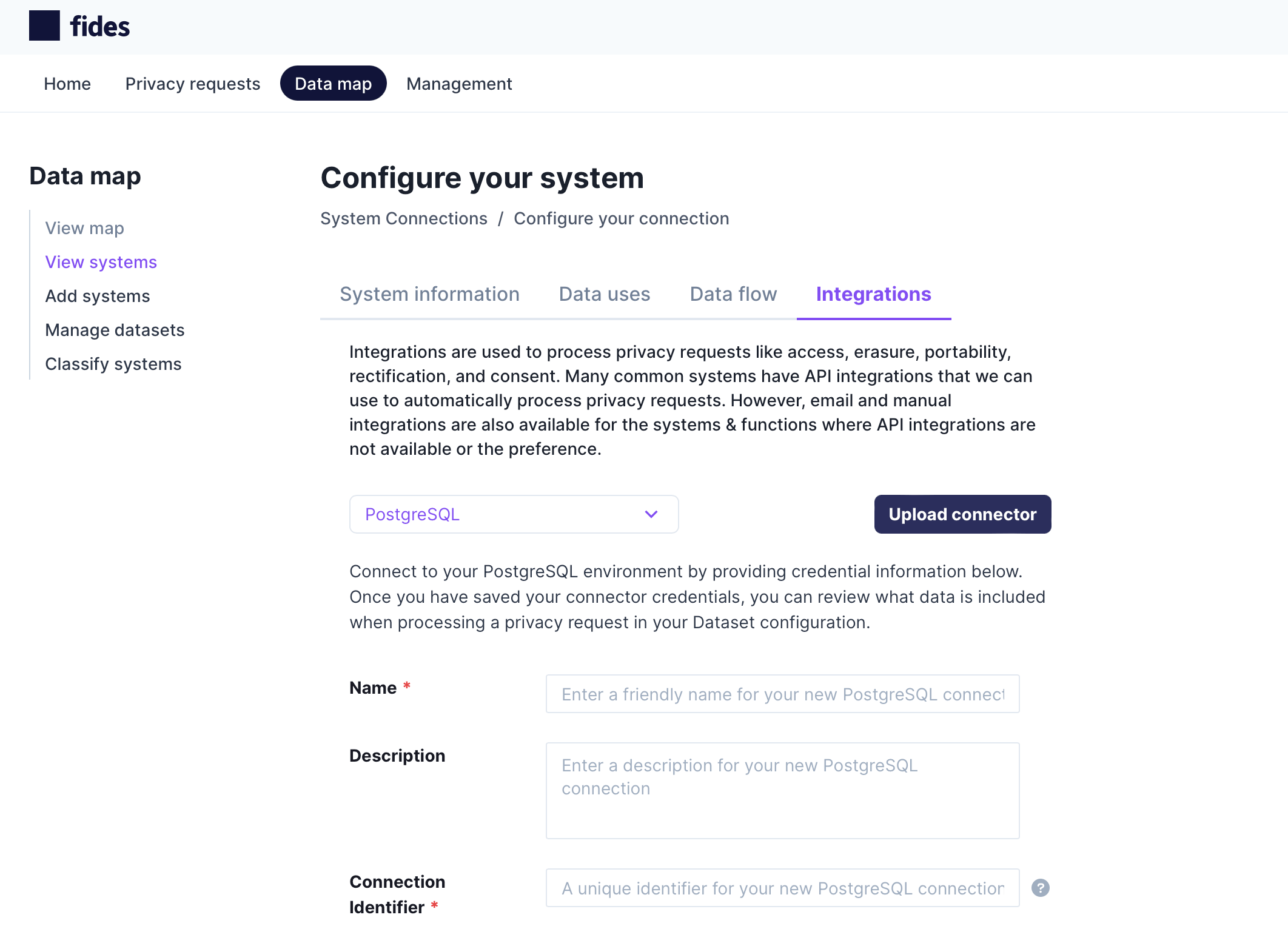
In addition to these common fields, every database type requires distinct connection and credential information.
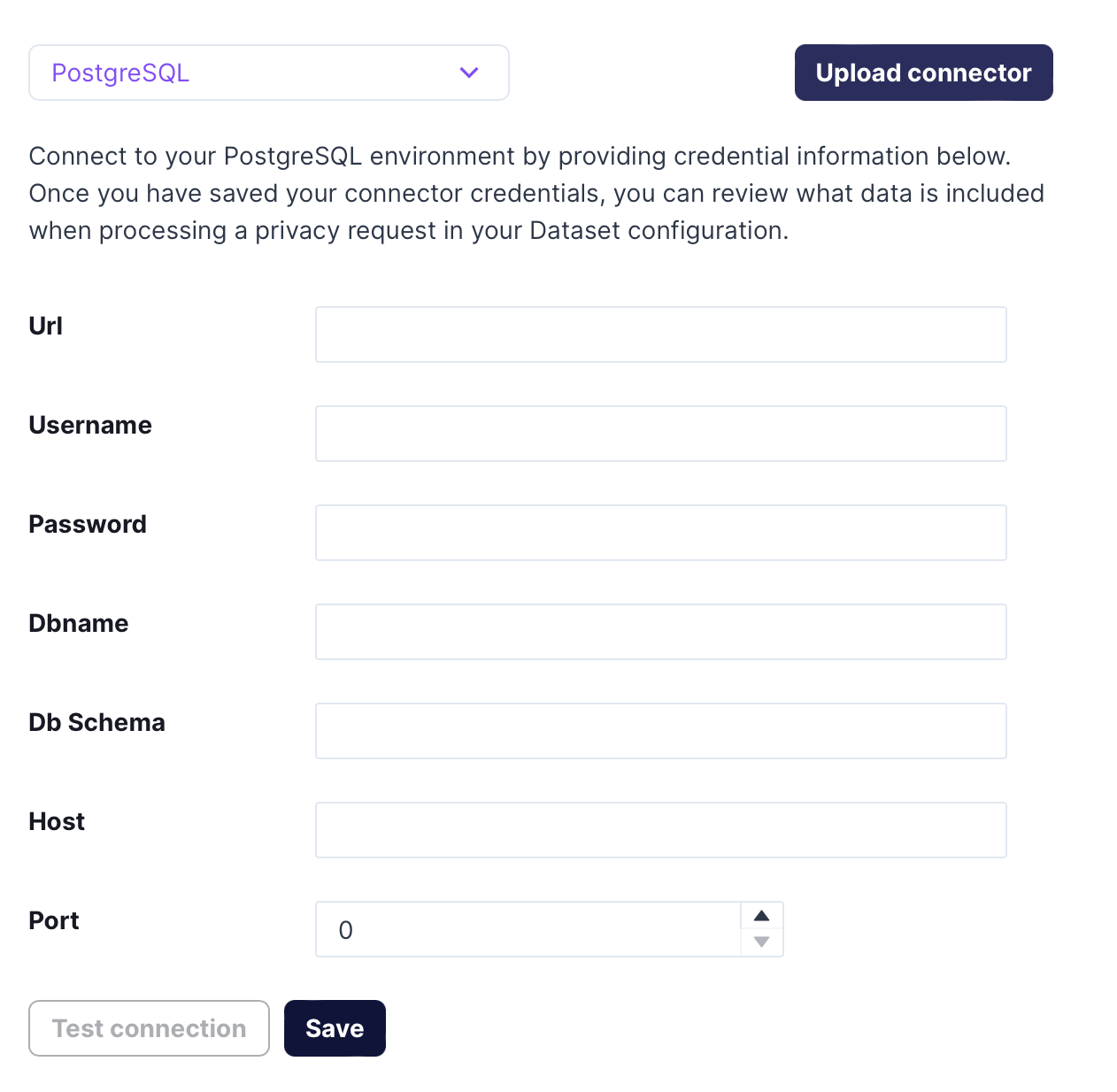
The example below shows the credentials required for PostgreSQL:
Selecting a Dataset
To execute privacy requests on a database, Astralis requires a schema of labeled personal data known as an Astralis dataset. Read about creating and maintaining datasets in Astralis here.
Select the dataset for the database being configured from the available list of datasets:
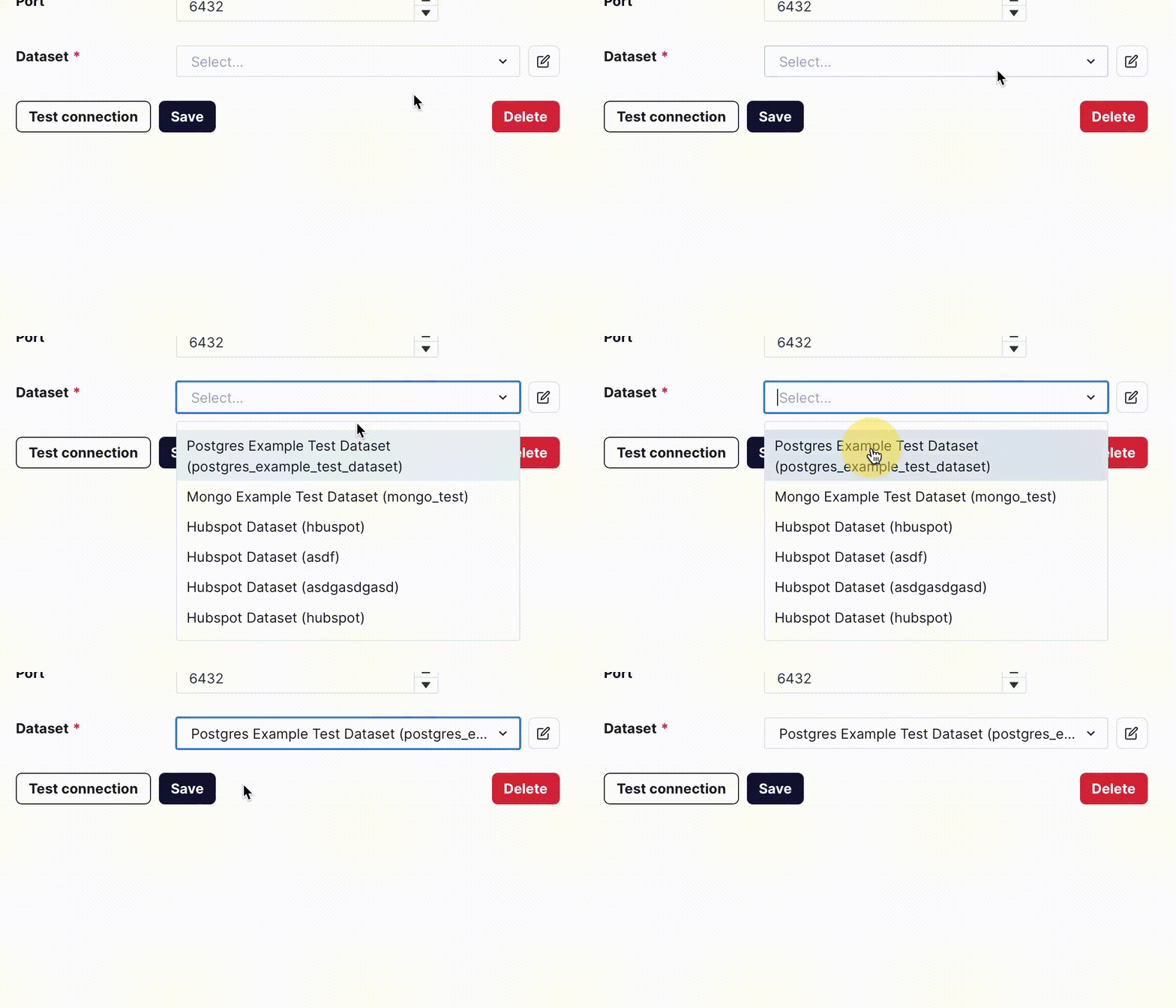
When you've provided all database connection information, including a dataset, Save your integration settings.
Test the Integration
Once your integration credentials are saved, you can verify the credentials are working by clicking Test connection.
If the integration is working correctly, you will be presented with a Test succeeded message.
This example used the PostgreSQL integration, for a complete list of integrations and instructions, visit the integration registry.