DSR Bot Protection
DSR bot protection scores public, unauthenticated privacy request submissions for signs of automated abuse — bot floods, disposable-email spam, credential-stuffed submissions — and flags the high scorers for review. This turns an unmanageable stream of junk requests into a filterable queue instead of forcing you to process (or manually deny) every one of them.
Bot protection never silently rejects a request. It only flags requests for review, and — depending on the mode you choose — can hold high-risk requests for a human to approve, deny, or delete.
How risk scoring works
When an eligible privacy request is submitted, Astralis evaluates it against a set of pluggable risk signals. Each signal that fires contributes a strength (0–1) multiplied by its configured weight; the contributions are summed into an aggregate risk score. If the score meets or exceeds the flag threshold, the request is flagged.
| Signal | What it detects |
|---|---|
| Disposable / blocklisted email domain | The requester's email domain is a known disposable-mail provider (a bundled list), or a domain you've explicitly added to your blocklist. |
| Submission velocity (per-IP) | Many scored submissions from the same client IP within a short or long time window. |
| Submission velocity (per-canonical-email) | Many scored submissions for the same canonicalized email address (catches +tag and dot-variant floods) within a short or long window. |
| Local-part entropy | The email's local part looks machine-generated — e.g. f238fwerfer8f348f@... — based on digit/letter interleaving, vowel scarcity, consonant runs, and character entropy. |
| Canonical-duplicate hit | The request was marked a duplicate by duplicate detection. Only contributes when duplicate detection is enabled. |
Scoring is fail-open: a scoring error, a Redis outage, or a misconfigured signal never blocks the request from being created — it just contributes nothing to the score. The result is persisted directly on the privacy request as risk_score (the aggregate number) and risk_signals (a JSON blob recording which signals fired, their reasons, the threshold in force, and whether enforcement was on at the time).
Observation vs. enforcement
Bot protection has two independent toggles, so you can turn scoring on without turning on any consequence:
- Observation mode (
enabled, flag-only) — every eligible request is scored and flagged requests are recorded, but nothing is held. A flagged request flows through its normal workflow exactly as if it hadn't been scored. This is the recommended state to start in: it lets you see what would be flagged and tune signal weights and the threshold against real traffic before anything is actually blocked. - Enforcement mode (
enforcement_enabled) — requests that cross the flag threshold are held instead of auto-approving. A held request stays atpending(or moves toawaiting_pre_approvalif you have pre-approval webhooks configured) until an administrator processes or deletes it.
enforcement_enabled does nothing if enabled is false. There's one exception regardless of mode: requests parked in the Duplicate status by duplicate detection are already held before they'd reach auto-approval, so they stay actionable in the Request Manager even in observation mode.Turn on bot protection
Bot protection has no dedicated settings panel in the Admin UI. Configure it through the application config API — GET, PATCH, or PUT /api/v1/config — under the security.risk_scoring key, or via environment variables prefixed FIDES__SECURITY__RISK_SCORING__.
Both toggles default to false. To turn on observation mode:
{
  "security": {
    "risk_scoring": {
      "enabled": true
    }
  }
}
Once you're satisfied with what's being flagged, turn on enforcement:
{
  "security": {
    "risk_scoring": {
      "enforcement_enabled": true
    }
  }
}
Environment variable example:
FIDES__SECURITY__RISK_SCORING__ENABLED=true
FIDES__SECURITY__RISK_SCORING__ENFORCEMENT_ENABLED=true
Configure signals and thresholds
All settings live under security.risk_scoring and can be read or changed the same way as enabled/enforcement_enabled above.
| Setting | Default | Description |
|---|---|---|
enabled | false | Turns scoring on or off. |
enforcement_enabled | false | Turns holding of flagged requests on or off. No effect when enabled is false. |
flag_threshold | 0.75 | Aggregate score at or above which a request is flagged. Max 50 (the reachable ceiling across all signal weights). |
local_part_entropy_weight | 1.0 | Weight of the random-looking-address signal. 0 disables it. Max 10. |
canonical_duplicate_weight | 0.6 | Weight of the canonical-duplicate signal. Only contributes when duplicate detection is enabled. Max 10. |
email_domain_weight | 1.0 | Weight of the disposable/blocklisted-domain signal. Max 10. |
domain_blocklist | [] | Email domains (and their subdomains) that always trigger the domain signal. |
domain_allowlist | [] | Domains exempted from the domain signal — overrides both the blocklist and the bundled disposable-domain list. |
disposable_email_domains_enabled | true | Whether Astralis' bundled disposable-domain list contributes to the domain signal. |
velocity_short_window_seconds | 600 (10 min) | Short velocity window, shared by the IP and email velocity signals. |
velocity_long_window_seconds | 3600 (1 hr) | Long velocity window. |
velocity_ip_short_threshold | 10 | Submissions from one client IP within the short window that trip the IP velocity signal. |
velocity_ip_long_threshold | 30 | Same, for the long window. |
velocity_email_short_threshold | 3 | Submissions for one canonical email within the short window that trip the email velocity signal. |
velocity_email_long_threshold | 5 | Same, for the long window. |
velocity_ip_weight | 1.0 | Weight of the per-IP velocity signal. 0 disables the signal (and stops counting). Max 10. |
velocity_email_weight | 1.0 | Weight of the per-canonical-email velocity signal. 0 disables the signal (and stops counting). Max 10. |
Example enabling enforcement with custom weights and a blocklist:
{
  "security": {
    "risk_scoring": {
      "enabled": true,
      "enforcement_enabled": true,
      "flag_threshold": 1.0,
      "domain_blocklist": ["sharklasers.com", "guerrillamail.com"],
      "velocity_email_short_threshold": 3
    }
  }
}domain_blocklist/domain_allowlist are normalized on write — lowercased, a leading *. is stripped (parent-domain entries already match subdomains), and each entry must look like a real domain. API-set blocklist/allowlist values fully override any values set via config file or environment variable — they don't merge — so removing a false-positive domain from the API always takes effect.security.rate_limit_client_ip_header setting. Without it, every submission resolves to your load balancer's own IP and velocity_ip can never fire — Astralis logs a warning once per process when this happens.Review flagged requests
Once security.risk_scoring.enabled is true, a Flagged tab appears in Privacy Requests → Request Manager, next to Requests and Manual tasks. The tab is hidden entirely when scoring is off.
Observation mode
In observation mode, flagged requests still went through their normal workflow when submitted — the tab is purely for inspection and calibration. The banner at the top of the tab makes this explicit:
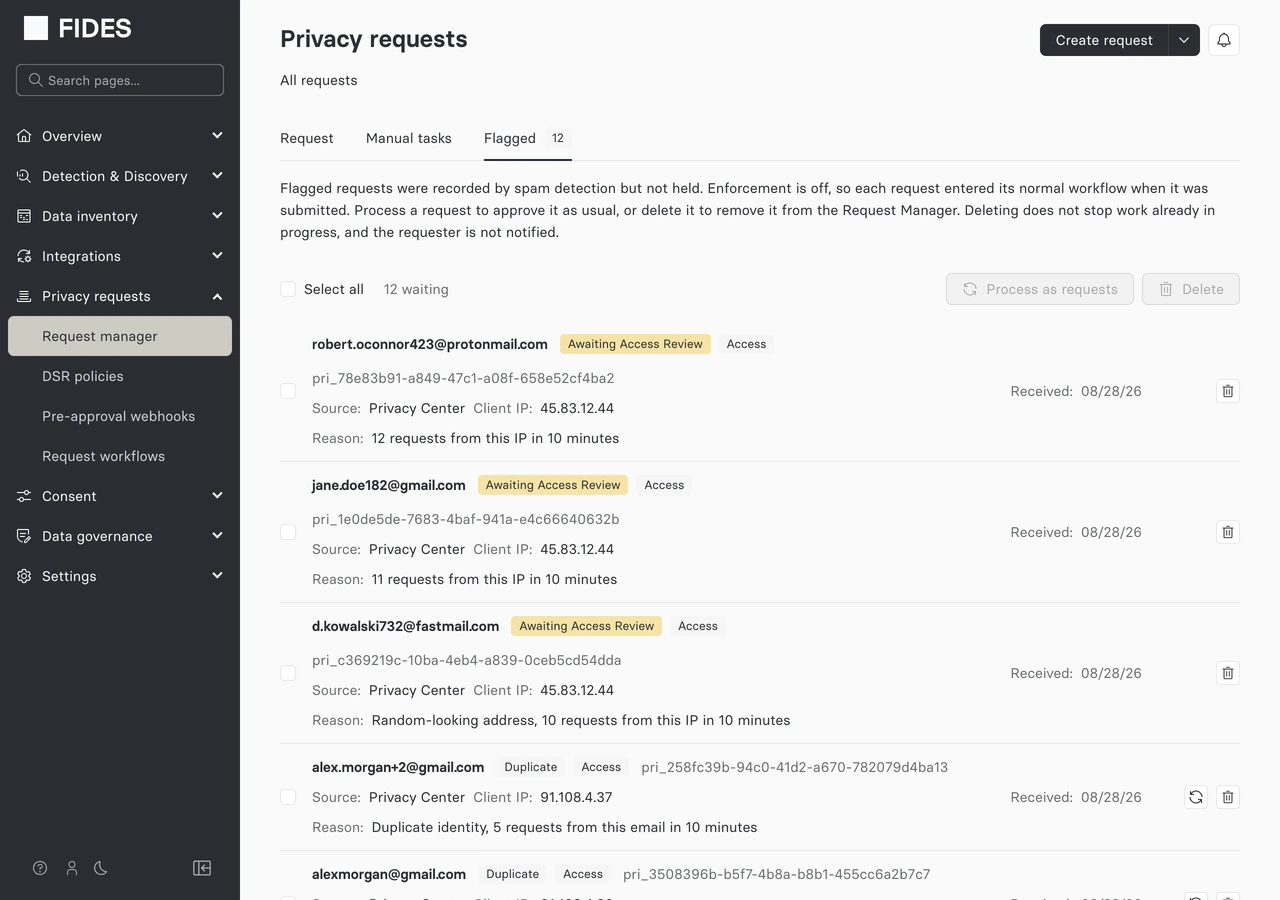
Each row shows the source, the client IP the request was submitted from, and a Reason line summarizing why it was flagged. Reason codes are translated into readable text:
| Signal | Displayed as |
|---|---|
| Local-part entropy | "Random-looking address" |
| Canonical duplicate | "Duplicate identity" |
| Disposable domain | "Disposable email provider — {domain}" |
| Blocklisted domain | "Blocklisted domain — {domain}" |
Enforcement mode
With enforcement on, requests that cross the threshold are genuinely held — nothing in the tab has been actioned yet. The banner and each row's available actions reflect that:
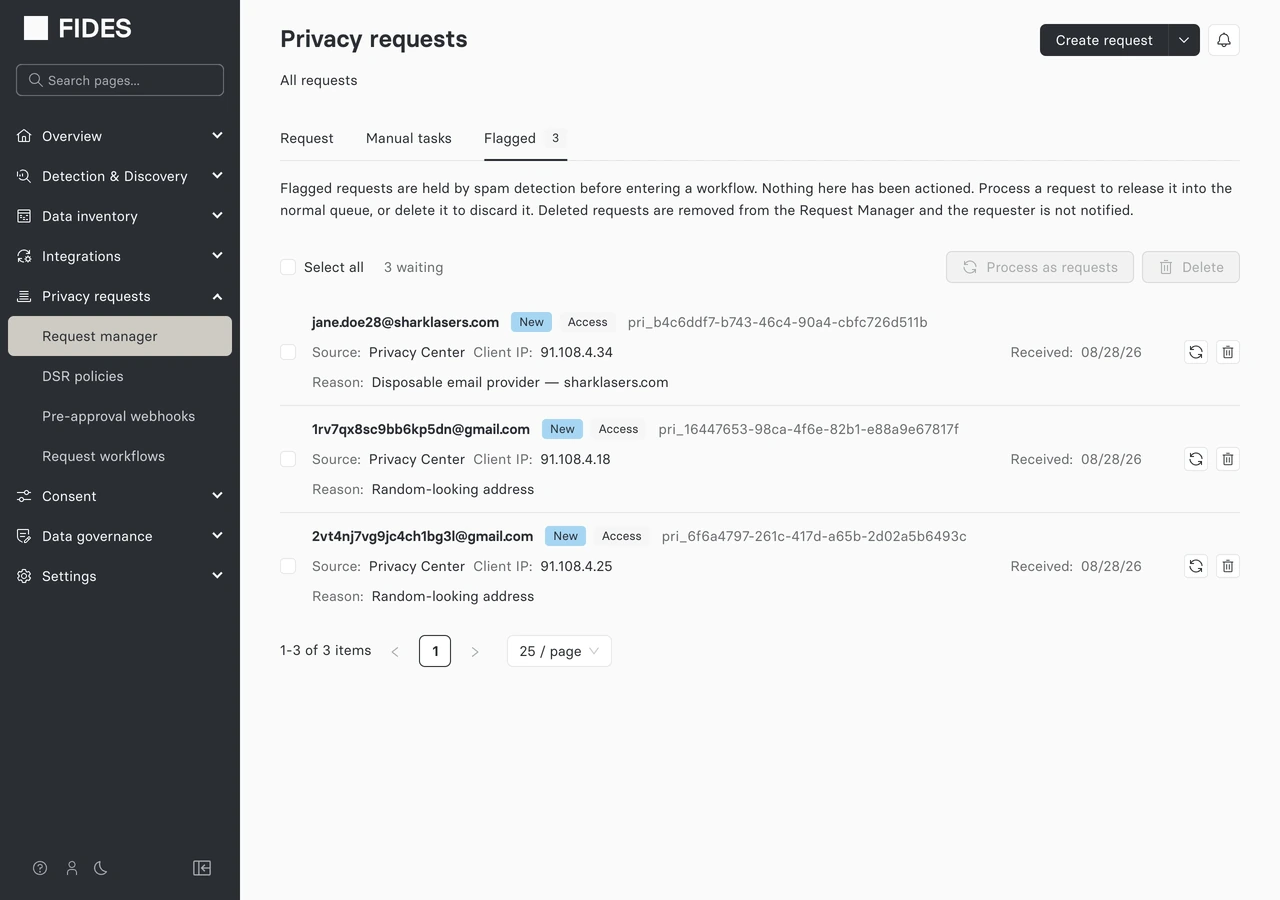
From the Flagged tab you can, per row or in bulk (via Select all):
-
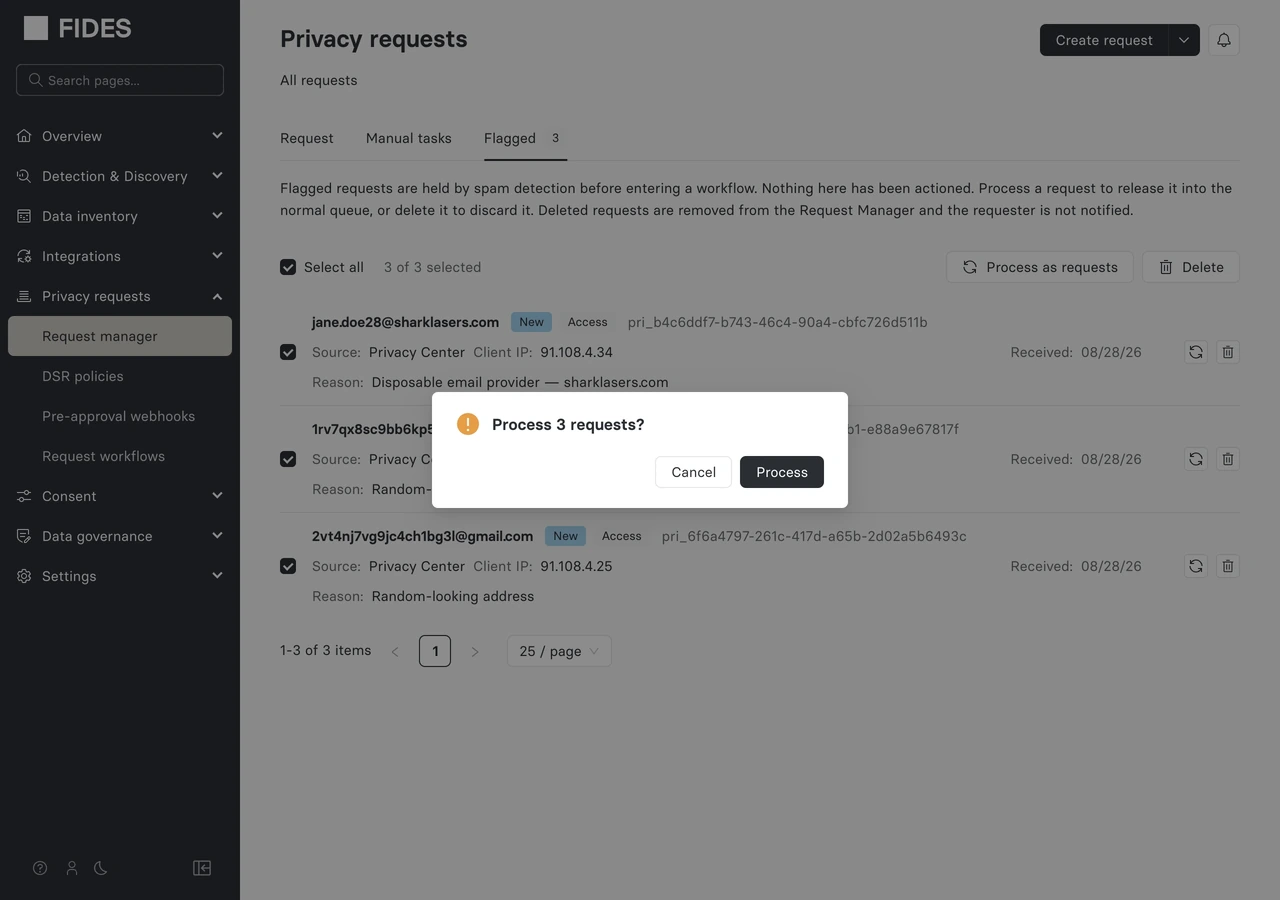
Process — approve the selected requests and release them into the normal processing queue. Only requests in a reviewable status (not already denied, canceled, etc.) are processable; if your selection includes some that aren't, the confirmation names both counts:
-
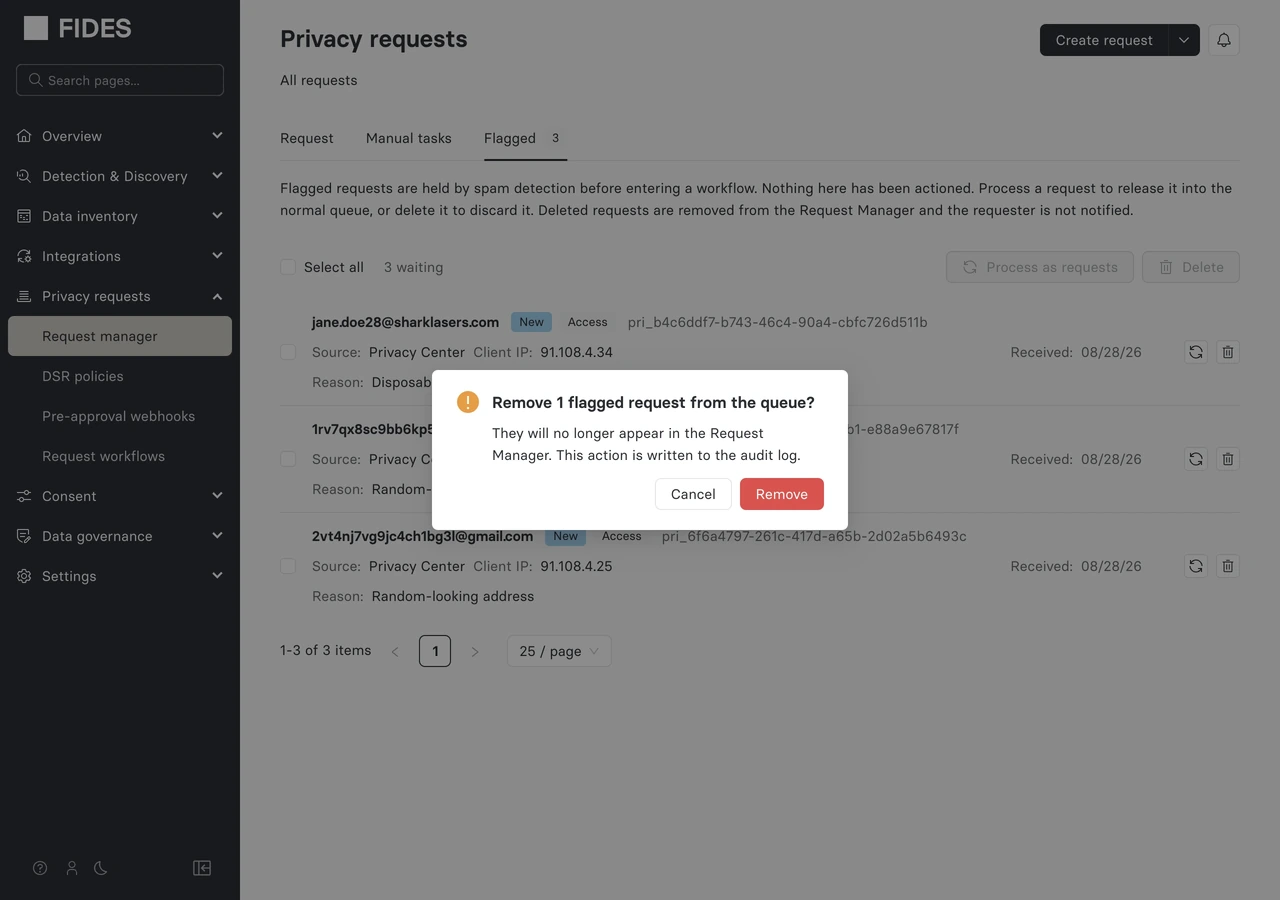
Delete — soft-delete the selected requests, removing them from the Request Manager without notifying the requester. This does not stop any work already in progress and is written to the audit log:
Processing, denying, or canceling a flagged request clears its flagged status and moves it into the main Requests tab — but the original risk_score and risk_signals are retained on the request for audit purposes.