System stewardship
System stewardship extends Astralis' role-based access control with per-system ownership: an eligible user can be assigned to one or more Systems as a Data Steward, which grants them an elevated set of permissions on those specific Systems without changing their overall role.
This page explains who is eligible, what stewardship grants, and how stewardship interacts with other features.
What system stewardship grants
A user assigned to a System as a Data Steward can:
- Update the System's metadata and privacy declarations
- Delete the System
- Create, update, read, and delete the integration (connection config) attached to the System
The grant is scoped to the assigned Systems only. The user's permissions on other Systems are unchanged. Linking and unlinking a System to an integration is a separate permission held by the Data Steward role organization-wide (see the role table on Role-based access control), not by per-System stewardship.
Who can be assigned
The following roles are eligible to be assigned as a Data Steward on a System:
| Role | Notes |
|---|---|
| Owner | Can edit all Systems without being assigned. Assignment is optional and additive. |
| Contributor | Can edit all Systems without being assigned. Assignment is optional and additive. |
| Data Steward | Has read-only access organization-wide; stewardship grants write access on the assigned Systems. |
| Viewer | Has read-only access organization-wide; stewardship grants write access on the assigned Systems. |
| Viewer + Approver | Same as Viewer, plus privacy request approval. |
Approver, Internal Respondent, and External Respondent roles cannot be assigned as Data Stewards.
How to assign stewards
System stewards are assigned from the user management workflow. See Assigning systems for the step-by-step UI walkthrough.
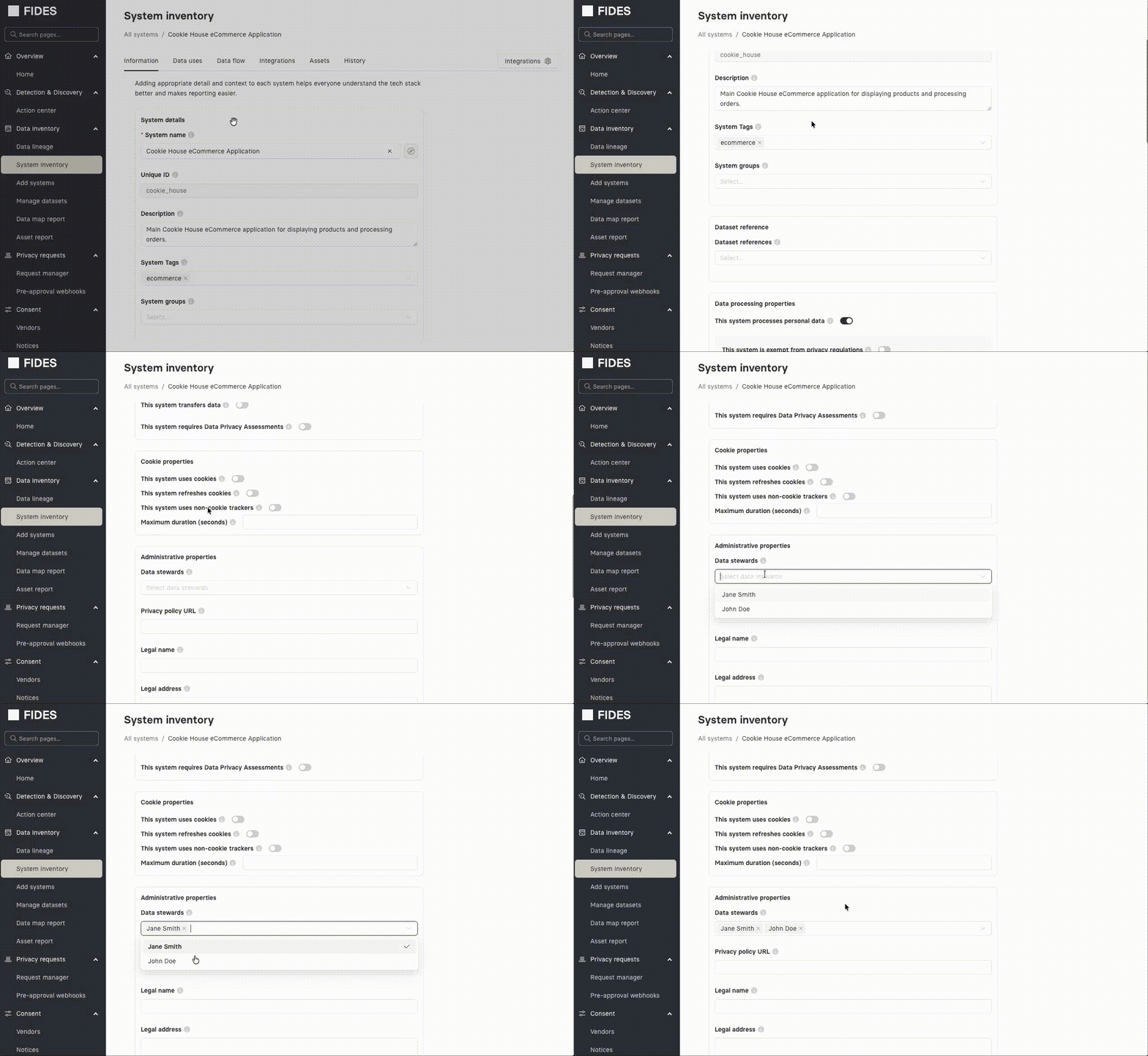
You can also assign stewards directly on a System from Data map → Systems → <system> → Administrative properties → Data stewards. See Adding systems manually for the System configuration form.
Inheriting stewardship to monitors
When a System is linked to an integration, monitors running against that integration can inherit the System's data stewards as monitor stewards. This keeps the people who own a System in sync with the people who review its discovered data.
Inheritance is enabled per-monitor with the Inherit system stewards toggle on the monitor configuration form, and is on by default for new monitors. See Monitor stewardship for the full model.
Related
- Role-based access control — the role table and user management workflow
- Monitor stewardship — the equivalent concept for discovery monitors
- Data Steward in the glossary