CCPA/CPRA Disclosure Metrics
The privacy request disclosure metrics feature provides a public-facing page in the Privacy Center that displays annual CCPA/CPRA disclosure data, as required by California Civil Code § 1798.130(a)(5) and 11 CCR § 7102.
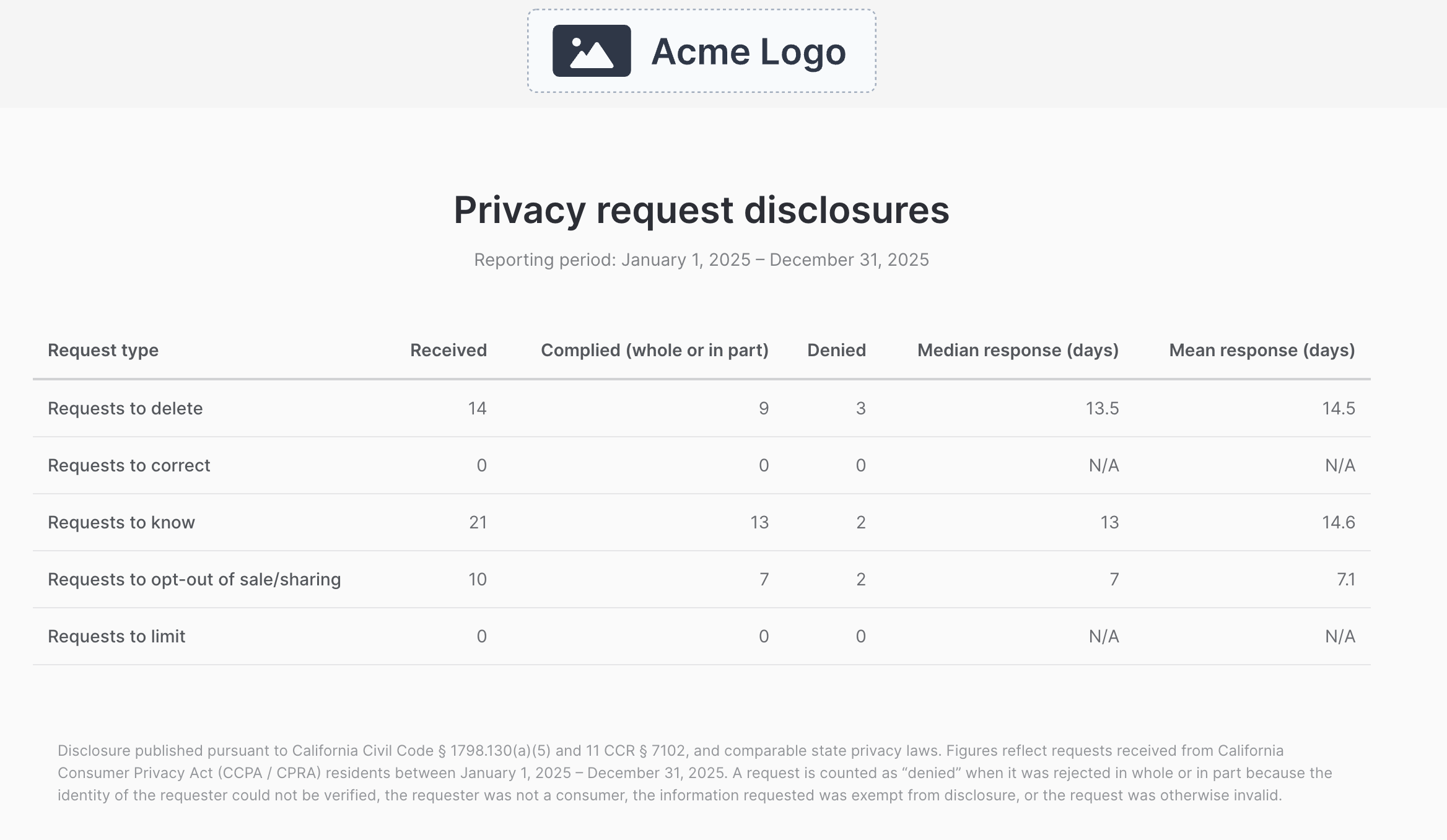
The metrics page shows the number of requests received, complied with, and denied for each request type, along with mean and median response times. As required by the regulation, metrics are reported for the previous calendar year (e.g., if the current year is 2026, the page displays data from January 1, 2025 through December 31, 2025).
Enable the feature
Set the following environment variable on the Privacy Center container:
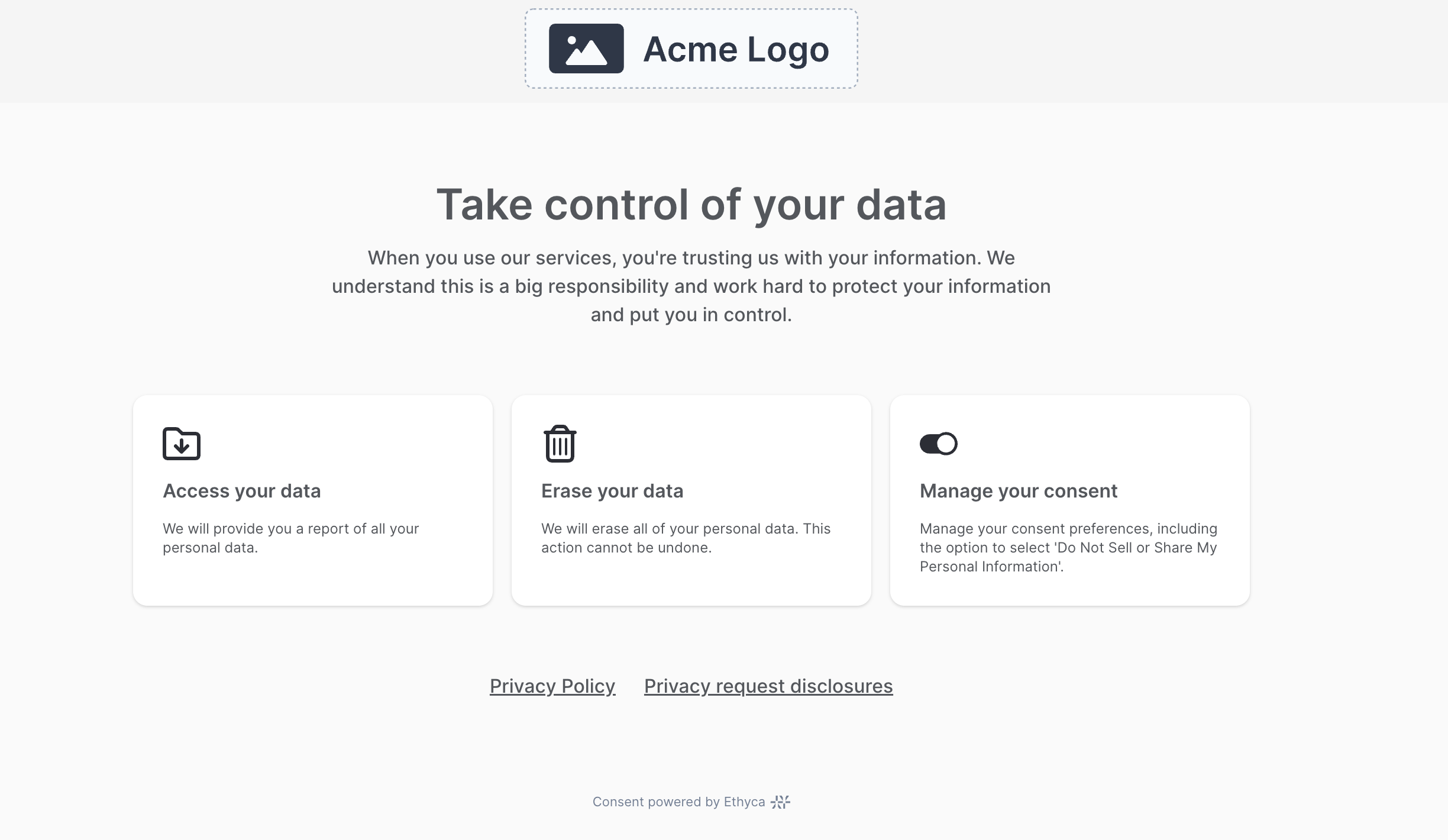
FIDES_PRIVACY_CENTER__PRIVACY_REQUEST_DISCLOSURE_ENABLED=trueWhen enabled, a "Privacy request disclosures" link appears in the Privacy Center footer, linking to the /privacy-request-metrics page. When disabled (the default), the link is hidden and the page returns a 404.
The disclosure metrics page displays a table of request counts and response times:
Prerequisites
Location field with geolocation
The disclosure metrics endpoint filters privacy requests by location, hardcoded to California (US-CA) as CCPA/CPRA is the only US state regulation that requires public disclosure of request metrics. For requests to be counted, they must have a location value set.
To ensure location is captured on every privacy request, configure a location custom field with ip_geolocation_hint enabled in your Privacy Center configuration:
"custom_privacy_request_fields": {
  "location": {
    "label": "Location",
    "field_type": "location",
    "ip_geolocation_hint": true,
    "required": true
  }
}
This auto-detects the user's location from server-side geolocation (CloudFront headers in cloud deployments, or the geolocation API for self-hosted) and attaches it to the privacy request. Without this field, the location will not be captured and the request will not appear in disclosure metrics.
If your privacy center does not include a location field with ip_geolocation_hint enabled, the disclosure metrics page will show zero counts for all request types.
Geolocation infrastructure
For ip_geolocation_hint to work, one of the following must be configured:
- Cloud deployments: CloudFront provides geolocation via
cloudfront-viewer-countryandcloudfront-viewer-country-regionheaders automatically. - Self-hosted deployments: Configure the geolocation API by setting
FIDES_PRIVACY_CENTER__IS_GEOLOCATION_ENABLED=trueandFIDES_PRIVACY_CENTER__GEOLOCATION_API_URLto your geolocation provider's URL.
This is the same geolocation infrastructure used for consent experiences and location-based actions.
How it works
The metrics page displays aggregate counts for the previous calendar year, filtered to privacy requests from California residents:
| Metric | Description |
|---|---|
| Received | Total requests received (excludes unverified, canceled, and duplicate requests). |
| Complied with | Requests that were fulfilled (completed). |
| Denied | Requests that were denied. |
| Mean response (days) | Average number of days from request submission to completion or denial. |
| Median response (days) | Median number of days from request submission to completion or denial. |
Request types
Metrics are broken down by the following CCPA/CPRA request categories:
| Request Type | Description |
|---|---|
| Requests to delete | Erasure/deletion requests. |
| Requests to correct | Correction/update requests. It is expected to see zeros for this type unless your deployment has correction request policies configured. |
| Requests to know | Access/data portability requests. |
| Requests to opt-out of sale/sharing | Consent opt-out requests associated with privacy notices that use data for third-party targeted advertising or third-party sharing. |
| Requests to limit | Currently displayed with zero values, as there is no corresponding request type yet. |
How opt-out requests are identified
A privacy request is counted as an "opt-out of sale/sharing" request when it is linked to a privacy notice whose configured data uses include third-party targeted advertising or third-party data sharing. Only opt-out requests submitted through the Privacy Center are counted — consent preference changes made through consent banners (fides.js) are not data subject requests and are not included in these metrics.
Per-organization metrics
By default, the metrics endpoint aggregates privacy requests across every organization in the deployment. If your deployment represents several legal entities, each entity can publish its own figures instead, using a per-organization variant of the endpoint:
GET /api/v1/plus/privacy-request-metrics/{organization_fides_key}The response has the same shape as the deployment-wide endpoint, with an added organization_fides_key field identifying the organization the figures cover. On the deployment-wide endpoint, that field is null.
{
  "reporting_period": "January 1, 2025 – December 31, 2025",
  "request_types": {
    "access": {
      "received": 2,
      "complied_with": 2,
      "denied": 0,
      "mean_days_to_respond": 10.0,
      "median_days_to_respond": 10.0
    }
  },
  "organization_fides_key": "default_organization"
}
Requesting an organization key that does not exist returns 404.
Both endpoints are unauthenticated, so allow-list the per-organization route at your ingress before relying on it. See Security practices for the full allow-list and for the disclosure consideration that comes with exposing organization keys publicly.
Per-organization figures are only accurate once privacy requests are recorded against the organization that owns them. Requests created before per-organization recording was enabled are attributed to default_organization, so they appear under that organization rather than the entity that actually handled them.
The Privacy Center disclosure metrics page shows the deployment-wide figures. Pointing it at a single organization is not yet supported.
Testing with sample data
If you are setting up your environment for the first time, there will not be any privacy request data from the previous calendar year to display. To make it easy to verify that the feature is working correctly, you can seed your environment with sample data:
- Navigate to the Admin UI at
/poc/seed-data - Check "Disclosure Metrics (CCPA/CPRA)"
- Click "Seed data"
This populates your environment with sample privacy requests from the previous calendar year across all request types, with realistic statuses, response times, and locations. The metrics page will reflect this data immediately after seeding.
If using sample data for testing, work with your solutions expert to ensure all test data is cleaned up before going live.