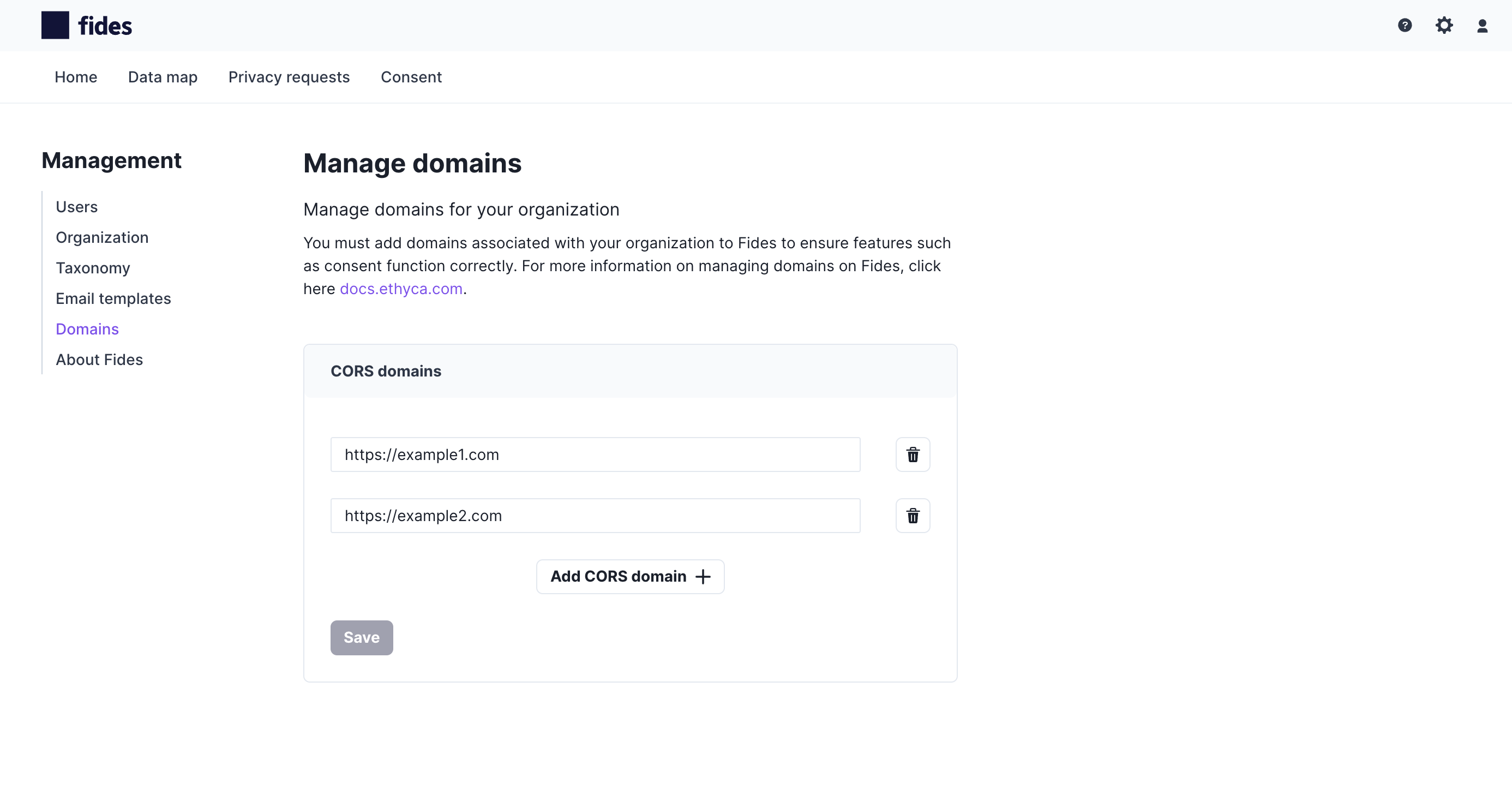
Adding Allowed Domains for Consent
This guide is for Astralis Cloud and Astralis Serverless, the Ethyca-hosted deployment options. To deploy Astralis to your own infrastructure with Astralis Self-Hosted, see the Installation guides here.
Prerequisites
For this guide you should already have an Astralis Cloud or Astralis Serverless account.
Allowed Domains for Consent
To ensure the security of consent management, fides.js can only be served on sites that have been added to the allowed list of domains. Therefore, you must individually add each domain to ensure that consent will function for your domains.
To learn more about installing fides.js on your website and configuring consent, please read the tutorial here.
Adding a Domain to the Allowed List
To add a domain to the allowed list:
- Click on the gear icon located in the top right corner of the page to go to the Management menu
- From the navigation menu on the left, select CORS configuration
- Add your CORS domain
Note, when adding a domain, you must use a valid URL. Wildcards, such as *.yourdomain.com, are not supported for security reasons. To request a wildcard domain, please contact support for assistance.