Consent Management: Configuring the Global Privacy Platform
Astralis includes comprehensive support for the IAB's Global Privacy Platform (GPP). This feature is enabled when Astralis is provisioned for you by Ethyca's Privacy Deployment Team. Please contact your Ethyca solutions team if you require support for GPP with Astralis. To learn more about GPP, read our GPP user guide.
When GPP is enabled, the first step is to ensure you have correctly configured GPP for your business requirements.
To do this, login to Astralis and navigate to Management → Consent.
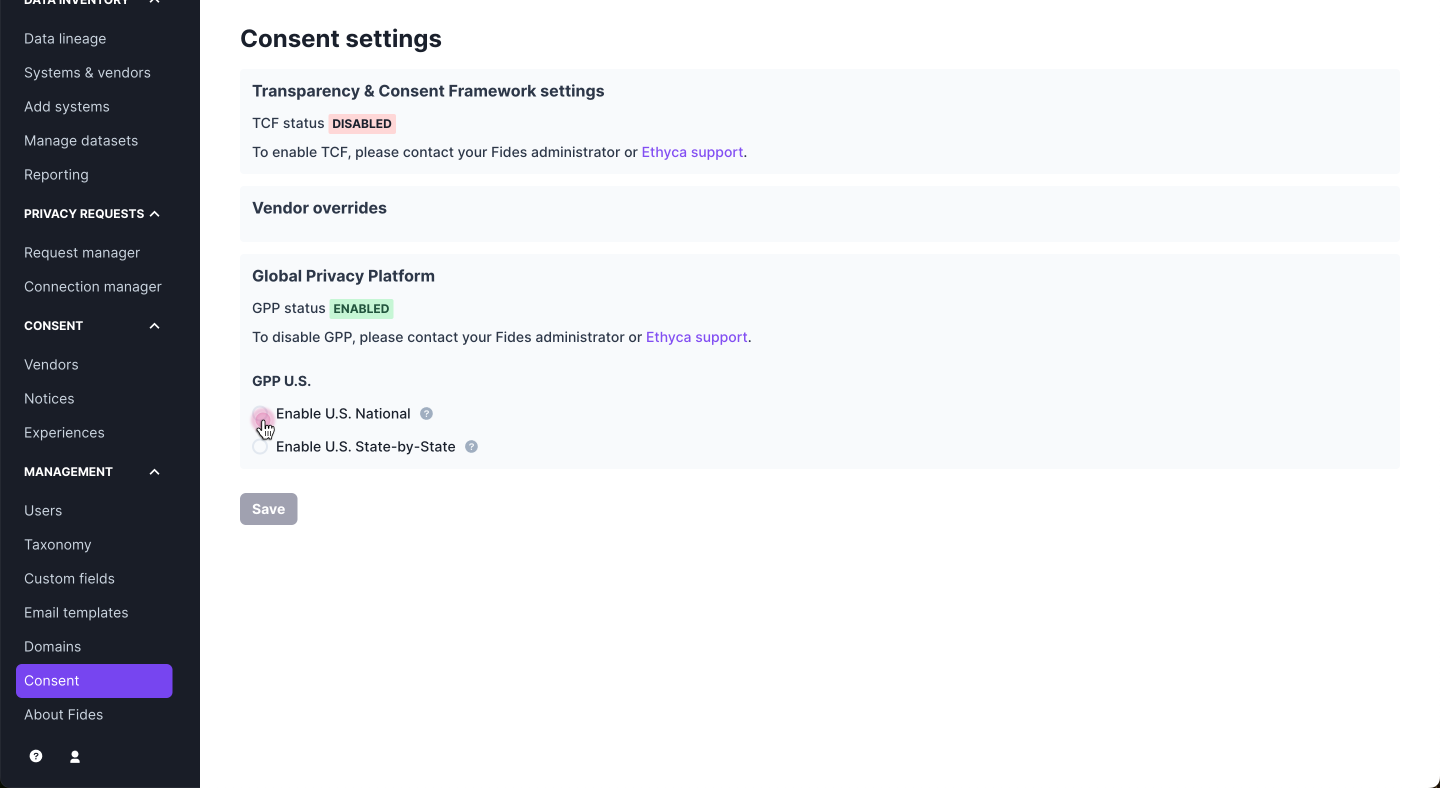
First configure whether you will use a US national or a state-by-state approach. Read about the difference between US National and state-by-state approaches here.
You can make that selection in the management screen shown below:
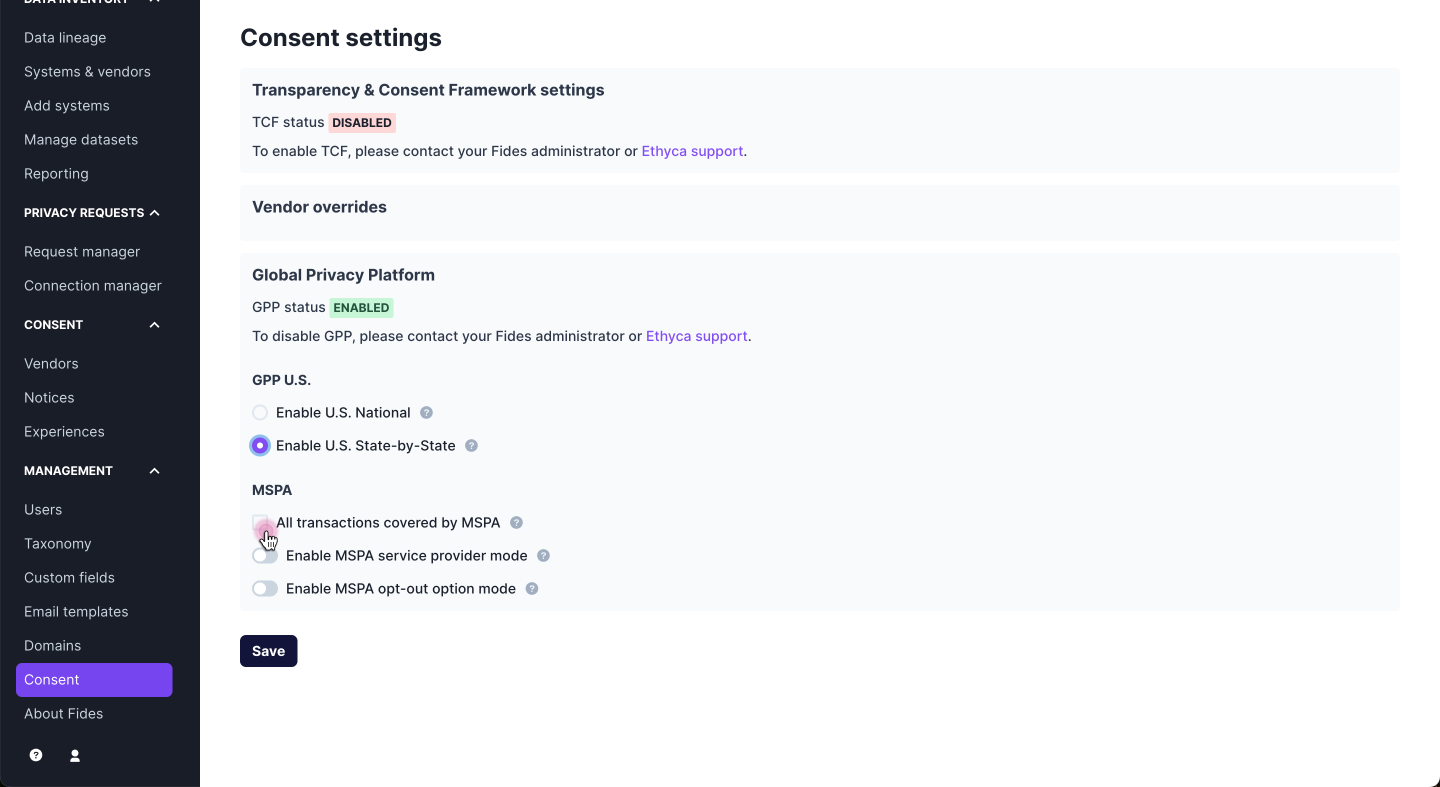
You can also choose whether or not you want all transactions to be covered by the MSPA. Learn more about the MSPA here. You can also leave this unchecked.
Sending no GPP section in US states without a privacy law
Below the US approach, the Send no GPP section in U.S. states without a privacy law checkbox controls what users in states without a privacy law receive. When it's checked, those users get the GPP API with no applicable section ([-1]) instead of the US National section. You can change it under Enable U.S. National and Enable US National and State-by-State notices. Under Enable U.S. State-by-State it is always checked, because that approach already sends no section outside regulated states. Fides maintains the list of states with a privacy law.
For example, suppose you want each regulated state to use its own GPP section where one exists, the US National section in the other states with a privacy law, and no section anywhere else in the US:
- Select Enable US National and State-by-State notices and check Send no GPP section in U.S. states without a privacy law.
- Create a modal experience for the states with their own GPP section (for example, California and Colorado) and assign their state notices.
- Create a modal experience assigned to United States and assign the US National notices.
With this setup, users receive the following:
| User location | Applicable section |
|---|---|
| California | usca |
| Maryland (privacy law, no GPP section of its own) | usnat |
| New York (no privacy law) | None ([-1]) |
With the checkbox on, FidesJS includes the GPP API for US users. If you also add ?gpp=true to the FidesJS script to make the GPP API available outside the US, it's harmless to keep it on the same script used in the US.
The setting also applies to the precomputed accept-all and reject-all strings in the experience meta. When you request an experience with include_meta=true, or call GET /api/v1/privacy-experience-meta, users in states without a privacy law get null for accept_all_fides_string, accept_all_fides_mobile_data, reject_all_fides_string, and reject_all_fides_mobile_data, because no GPP section applies to them.
To check which section applies for a location, see the GPP API reference.
Privacy notice configuration
After you select either US national or state-by-state, you can navigate to Consent → Notices to configure the notices that are served to users. Depending on the approach you select, you may see many privacy notices, as shown below for US State-by-state:
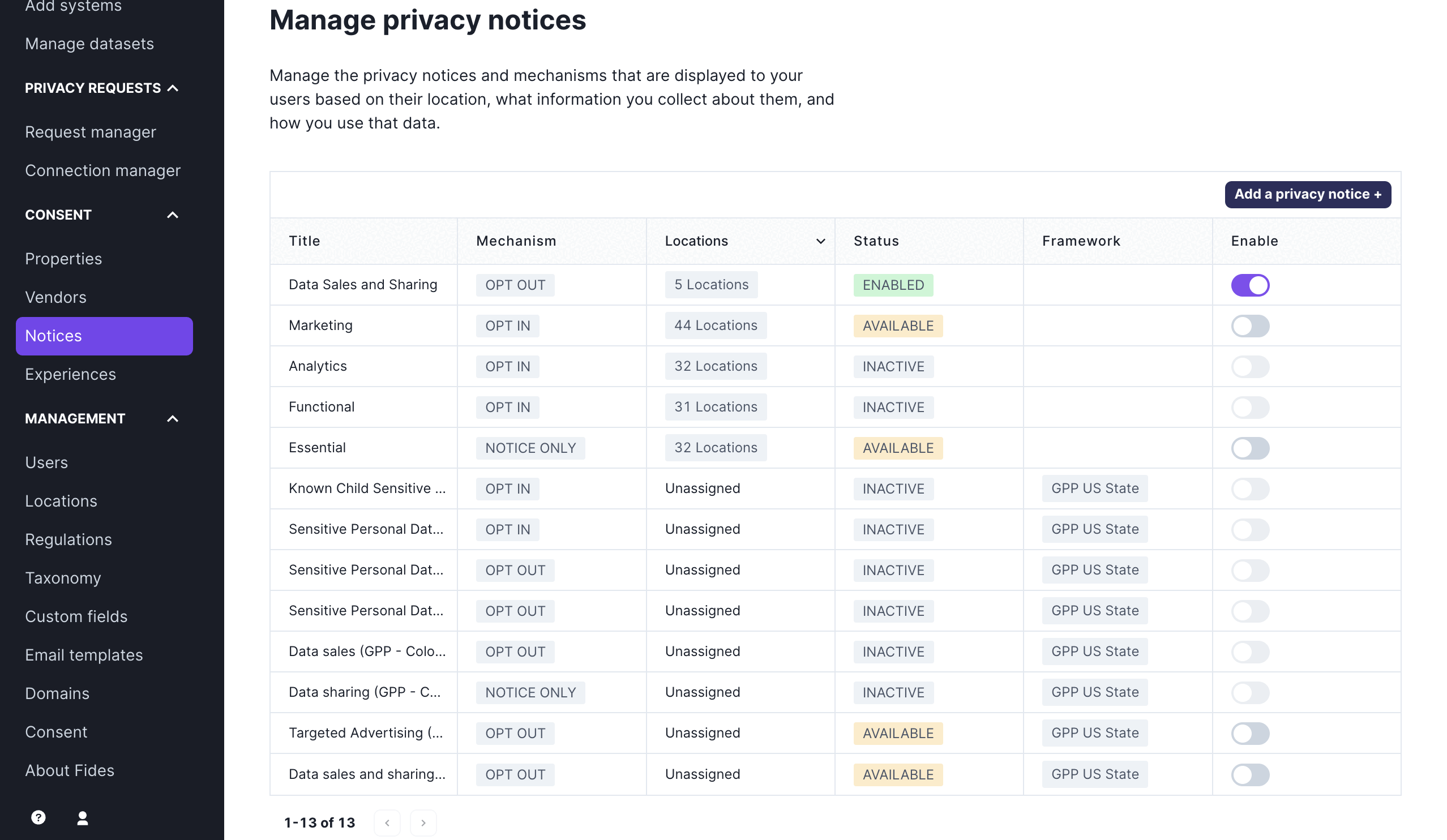
You can enable the notices that apply for your business and edit them to serve them on sites configured with fides.js. Read this guide to learn how to install fides.js on your site.
If you see a status of “Inactive” on a privacy notice, it means that you don’t have any systems on your data map that correspond to that notice. As a reminder, notices can only be activated when the same data use is associated with a system on your data map.
To read more about adding systems and associating data uses, review the tutorial, "Configuring Data Uses for Consent."
Some notices, such as data sales, data sharing, and notices related to sensitive personal data and children's data require that you configure the data use associated with your organizations business activities. Since different businesses are likely to use or sell information for different purposes, these notices are not initially assigned a data use, so you may select the data use that best matches your businsses data procssing activities. You can see an example of setting a data use for Children's sensitive data below:
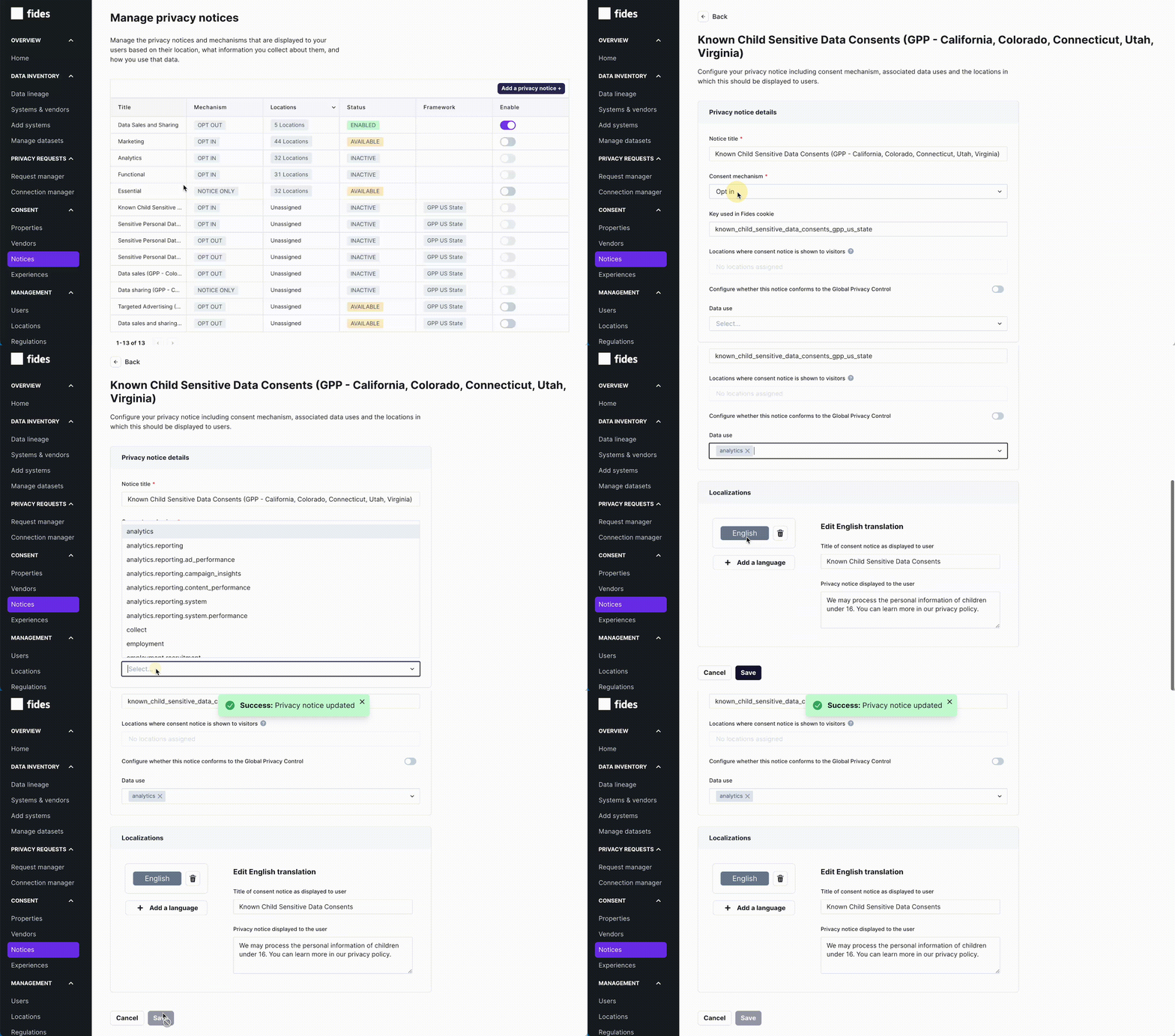
The example below shows a sample configuration that presents data sales, sharing and targeted advertising notices in the five US states covered by GPP as of March 2024.

Configuring the privacy experience
Once you have configured your privacy notices, you must assign the notices to privacy experiences. US GPP notices can generally be assigned to a modal experience. Recommended assignments of notices to experiences are provided below. By default, Ethyca recommends assigning the targeted advertising and data sales and sharing notices for the state by state and US national approaches. The additional notices that require you to assign data uses are listed as "optional" in the tables below.
State by state - required notices
| Experience Type | Locations | Notices |
|---|---|---|
| Modal | California | Data sales and sharing (GPP - California) |
| Modal | Colorado, Connecticut, Utah, Virginia | Targeted Advertising (GPP - Colorado, Connecticut, Utah, Virginia) |
State by state - optional notices
| Experience Type | Locations | Notices |
|---|---|---|
| Modal | California | Sensitive Personal Data Sharing (GPP - California) Known Child Sensitive Data Consents (GPP - California, Colorado, Connecticut, Utah, Virginia) |
| Modal | Colorado, Connecticut, Virginia | Known Child Sensitive Data Consents (GPP - California, Colorado, Connecticut, Utah, Virginia) Data sales (GPP - Colorado, Connecticut, Utah, Virginia) Data sharing (GPP - Colorado, Connecticut, Utah, Virginia) |
| Modal | Utah | Known Child Sensitive Data Consents (GPP - California, Colorado, Connecticut, Utah, Virginia) Sensitive Personal Data Sharing (GPP - Utah) Data sales (GPP - Colorado, Connecticut, Utah, Virginia) Data sharing (GPP - Colorado, Connecticut, Utah, Virginia) |
US National - required notice
| Experience Type | Locations | Notices |
|---|---|---|
| Modal | United States | Data Sales, Sharing, and Targeted Advertising (GPP - US National) |
US National - optional notices
| Experience Type | Locations | Notices |
|---|---|---|
| Modal | United States | Sensitive Personal Data Sharing (GPP - US National) Known Child Sensitive Data Consents (GPP - US National) |
Testing the implementation
After you have configured your privacy notices and experiences to enable GPP, you can test that the GPP API is present on your site that includes FidesJS.