Configure Storage Destinations
What is a storage destination?
Data subject access requests (DSARs) produce a package of returned data upon completion. This data is then uploaded to a storage destination (e.g. an S3 bucket) before being sent to the user.
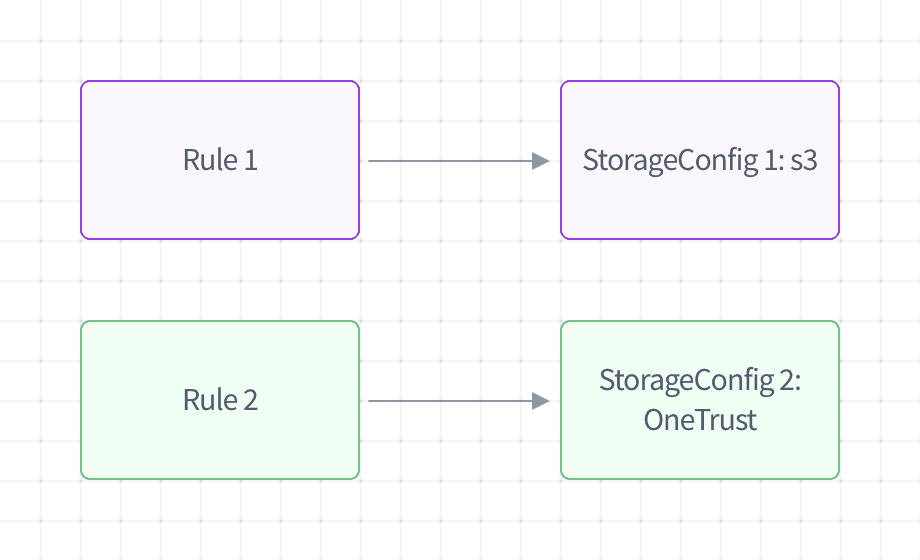
Storage destinations are associated with privacy request policy rules, allowing multiple storage destinations to be configured per privacy request policy.
Create a storage destination
Configure your storage method
To configure a Storage destination, first choose a method to store your results. Astralis currently supports the following methods of storage:
- local - This saves upload packages locally, generating a
fides_uploadsdirectory at the root of your project. This destination type should only be used for testing purposes, and not to process real-world access requests. - S3 - Files are uploaded to an S3 bucket of your choosing upon completion of an access request. Use S3 if you need a place to store those files.
- Google Cloud Storage - Files are uploaded to a GCS bucket.
Create your storage destination
Storage destinations are created and managed via the API. To create a new Storage destination, use the following endpoint:
[
  {
    "name": "{{storage_destination_name}}",
    "key": "{{storage_destination_key}}",
    "type": "s3" | "gcs" | "local",
    "format": "json" | "csv" | "html",
    "details": {
      "naming": "request_id",                       // default value
      "auth_method": "secret_keys" | "automatic",   // for cloud storage destinations
      "bucket": "{{bucket_name}}",                  // for cloud storage destinations
      "enable_streaming": false,                    // GCS only: opt in to streamed uploads (ignored on S3)
      "enable_access_package_redirect": false       // for S3 storage destinations
    }
  }
]
Destination attributes
| Attribute | Description |
|---|---|
name | A unique user-friendly name for your storage destination. |
key | Optional. A unique key used to manage your storage destination. This is auto-generated from name if left blank. Accepted values are alphanumeric, _, and .. |
type | Type of storage destination. Supported types include s3, gcs, and local. You may configure multiple destinations of the same type. |
format | The format of uploaded data. Supported formats include json, csv, and html. |
Additional attributes for s3 buckets
| Attribute | Description |
|---|---|
details.auth_method | The authentication method for creating a session with S3. Either automatic or secret_keys. |
details.bucket | The name of the bucket in S3. |
details.naming | This defines how the uploaded files will be named. Currently, Astralis only supports upload file naming by request_id. Use this value for all your storage destinations. |
details.enable_streaming | Retained for compatibility only. On S3 the upload path is chosen by format (HTML streams, JSON/CSV buffer), so this flag has no effect on S3 destinations. |
details.enable_access_package_redirect | Enables the access package emails to include a link which points to the privacy center and will redirect to an S3 presigned url for download. |
Additional attributes for Google Cloud Storage
| Attribute | Description |
|---|---|
details.auth_method | The authentication method for creating a GCS client. Either adc (Application Default Credentials) or service_account_keys. |
details.bucket | The name of the bucket in GCS. |
details.naming | This defines how the uploaded files will be named. Currently, Astralis only supports upload file naming by request_id. Use this value for all your storage destinations. |
details.enable_streaming | Optional. Set to true to stream uploads to GCS instead of buffering the whole archive in memory. Defaults to false. See Upload streaming below. |
Additional attributes for local storage
| Attribute | Description |
|---|---|
details.naming | This defines how the uploaded files will be named. Currently, Astralis supports upload file naming by request_id. Use this value for all your storage destinations. |
Upload streaming
When a request completes, Astralis packages the results and uploads them to your storage destination. That upload happens one of two ways:
- Streaming, where the package is written to storage in chunks as it is built. Memory use stays flat regardless of package size, so large packages and large attachments upload reliably.
- Buffered, where the whole package is assembled in memory and then uploaded. A very large package can exhaust memory on this path.
Which one Astralis uses depends on the backend. It is fixed for S3 and local storage, while for Google Cloud Storage it is a setting you control:
- S3 ignores
enable_streaming; the format decides. HTML access-package reports stream (a.zip, so large packages and their attachments upload reliably), while JSON and CSV are buffered. - Google Cloud Storage buffers by default and streams when you set
details.enable_streamingtotrue. Turning it on is the recommended setting for any destination that handles large packages. - Local storage always buffers. It is intended for quick-start and demo use, so this is not a concern in practice.
The package contents are identical either way: the same files are included and links resolve the same. Streaming only changes how the upload is written, so switching a GCS destination to streaming is safe.
On success, the response from the above endpoint will include a storage_key for each destination, which can be used when defining privacy request policy rules.
{
  "items": [
    {
      "id": "sto_fe4e4dc0-b5d3-4ac1-bfcd-86e60e9891b9",
      "name": "s3 storage 2",
      "type": "s3",
      "details": {
        "auth_method": "secret_keys",
        "bucket": "my-bucket",
        "naming": "request_id",
        "object_name": "requests",
        "enable_streaming": false,
        "enable_access_package_redirect": false
      },
      "key": "s3_storage_2"
    }
  ],
  "total": 1,
  "page": 1,
  "size": 1
}
Authenticate with your destination
Astralis requires authenticated access to update and erase (or mask) data in your storage destination.
Use the key returned during your storage creation to provide access credentials:
{
  "aws_access_key_id": "{{aws_access_key_id}}",
  "aws_secret_access_key": "{{aws_secret_access_key}}"
}
Secrets are not saved if credentials fail authentication with the given storage destination.
Additional attributes for S3 buckets
auth_method is set to automatic, no secrets need to be provided. Boto3 will look for credentials on the server.| Attribute | Description |
|---|---|
aws_access_key_id | AWS access key id, obtained from AWS console. |
aws_secret_access_key | AWS secret access key, obtained from AWS console. |
Additional attributes for Google Cloud Storage
auth_method is set to adc, no secrets need to be provided. When creating the client, the system will look for the credentials defined on the server in the file specified in GOOGLE_APPLICATION_CREDENTIALS.| Attribute | Description |
|---|---|
type | Type of the credential. Always "service_account" for service account keys. |
project_id | The ID of the Google Cloud project that owns the service account. |
private_key_id | Identifier for the private key. Useful for key rotation or revocation. |
private_key | The actual private RSA key (PEM format). This is used to sign authentication tokens. |
client_email | The service account's email address. This acts as the identity of the application when making API requests. |
client_id | OAuth2 client ID associated with the service account. |
auth_uri | The URL for starting the OAuth2 flow (mostly relevant for user credentials, not service accounts). Always https://accounts.google.com/o/oauth2/auth. |
token_uri | The URL used to exchange a signed JWT for an access token. Always https://oauth2.googleapis.com/token. |
auth_provider_x509_cert_url | Public URL where Google’s OAuth2 certificates can be fetched — used to verify tokens issued by Google. |
client_x509_cert_url | Public URL exposing this service account’s X.509 certificate — can be used to verify signatures made by the account. |
universe_domain | The Google Cloud "universe" this key is part of — typically googleapis.com. |
The fields described are extracted from a Service Account JSON file, which contains all the necessary information for authentication with Google Cloud services. This file is downloaded from the Google Cloud Console.
Test your storage connection
To test your storage configuration, send an API request to the upload data endpoint:
{
  "storage_key": "{{storage_key}}",
  "data": {
    // include sample JSON to upload to storage destination
  }
}| Attribute | Description |
|---|---|
request_id | A privacy request ID. |
storage_key | The key associated with the storage destination. |
data | A JSON object containing the data you wish to upload to storage destination. |
Extensibility
Astralis can be extended to support additional storage destinations by:
- Adding destination-specific enums in
src/fides/ops/schemas/storage/storage.py - Implementing an authenticator in
src/fides/ops/service/storage/storage_authenticator_service.py - Implementing the uploader in
src/fides/ops/service/storage/storage_uploader_service.py