Dataset integrations
In this section, we will explore the process for linking datasets to integrations so that privacy requests can be executed against all of your data, whether in a database or third party SaaS application.
Linking a dataset to an integration
Database integrations require a dataset to describe the table or collection schemas and relationships. The following guide explains how to link an existing dataset to an integration. Read the guide on creating datasets if you have not yet completed this step.
Linking an existing dataset
To configure a dataset for use in a database integration for privacy requests:
- Navigate to Data map → View systems.
- Select your system.
- Click the Integrations tab.
- Select the database connection type (e.g. PostgreSQL or DynamoDB)
- Provide appropriate database credentials.
- In the Dataset field select your dataset from the list of available datasets.
- Click Save.
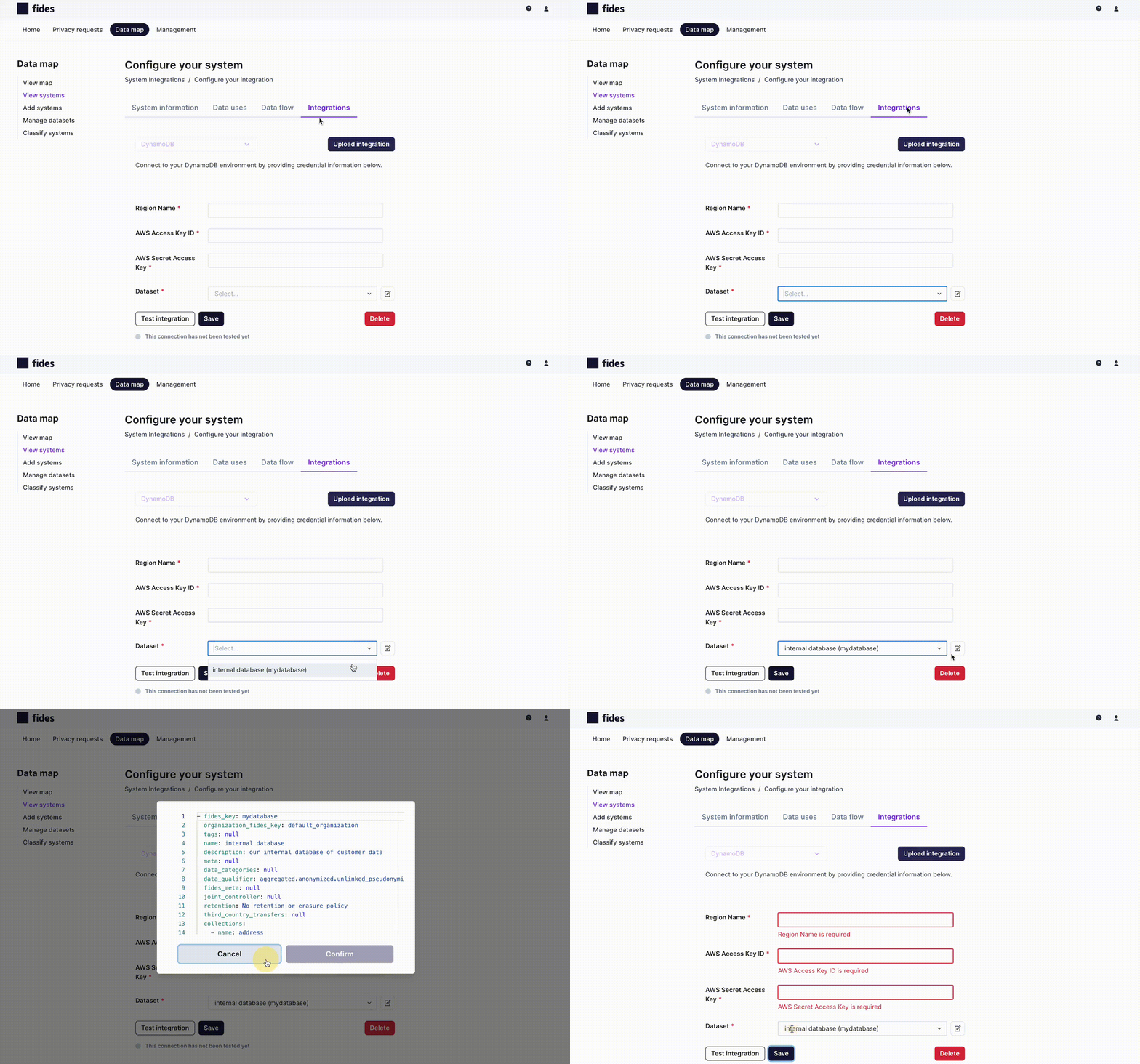
Review the list of available database integrations here.
Integrations that take no datasets
Every linked dataset joins every privacy request, so datasets can be linked only to integrations that run privacy requests: databases, SaaS integrations, Jira ticket integrations, and manual tasks. Integrations that only discover or monitor, such as S3, Okta, Entra, and AWS, have no Datasets field, and Astralis refuses a dataset link to them with:
Integration '<key>' (<type>) cannot run privacy requests, so datasets cannot be linked to it.DataHub is the exception: its linked datasets scope the catalog sync and never run in privacy requests.
Remove a dataset linked before this rule
A dataset linked earlier to an S3, Okta, or Entra integration makes every access and erasure privacy request fail with:
No connector available: integration '<key>' (<type>) cannot run privacy requests. Unlink its datasets or disable it.To fix it, unlink the datasets:
- Navigate to Integrations and open the integration named in the error.
- Click Manage. The Datasets field shows only the linked datasets, with the note "This integration can't run privacy requests".
- Remove every dataset and click Save. Removing only some of them is refused.
Through the API, send PUT /api/v1/connection/<key>/datasetconfig with an empty list, []. Disabling the integration also lets requests run.