SSO Authentication
This page documents how Single Sign-On (SSO) authentication works in Astralis, including configuration options and behavioral rules.
Overview
When an SSO provider is configured in Astralis, the system enforces SSO login for users, preventing the use of username/password authentication except in specifically configured cases. This provides stronger security and centralized authentication management.
For detailed instructions on how to configure SSO providers in Astralis, see the OAuth and OIDC configuration guide.
Configure the Admin UI URL for SSO
Astralis sends your identity provider a redirect URI of <base URL>/login/<identifier>, where <identifier> is the value you set on the SSO provider. Register exactly that URI with your identity provider.
For Ethyca-hosted deployments this is configured for you: register https://<your tenant domain>/login/<identifier> with your identity provider. The rest of this section applies to self-hosted deployments.
Astralis picks the base URL in this order:
- An origin you've configured, when it matches the domain the browser used. The configured origins are
admin_ui.urland the entries insecurity.sso_allowed_origins, and the browser's domain comes from theX-Forwarded-Hostheader set by a proxy in front of the API, or else the request'sHost. This lets each UI you serve get its own redirect URI. - The
admin_ui.urlsetting, including any path. For example,admin_ui.url = "https://example.com/admin"produceshttps://example.com/admin/login/<identifier>. - The request's
Host, which your load balancer or ingress already routes, ashttps://<domain>. Default ports (:80,:443) are dropped; other ports are kept. Astralis doesn't useX-Forwarded-Hosthere, because a web page's JavaScript can set that header.
If none applies, Astralis refuses the SSO login with an HTTP 400 error. See Local development for development proxies.
Set admin_ui.url so the redirect URI always matches what you registered. If you serve a second UI on another domain, or a UI server proxies /api to the API (so the API's Host is its own), also list that UI's origin in security.sso_allowed_origins:
[admin_ui]
url = "https://fides.example.com"

[security]
sso_allowed_origins = ["https://admin2.example.com"]
You can also use the FIDES__ADMIN_UI__URL and FIDES__SECURITY__SSO_ALLOWED_ORIGINS environment variables (a comma-separated list or a JSON array). Register a redirect URI with your identity provider for each origin.
- Astralis never uses the
Refererheader to choose the redirect URI, so a page that links to your login can't send the authorization code to another site. - Set these in the environment or
fides.toml. Astralis ignoresadmin_ui.urlandsso_allowed_originsvalues set through the configuration API for SSO, because roles that can edit configuration can't manage SSO providers. - The redirect URI always uses
https, except onlocalhostand other loopback addresses. Anhttpvalue on any other host is sent ashttps, so register thehttpsURI with your identity provider.
Local development
When the Admin UI runs behind a development proxy (such as npm run dev), the API receives the proxy's target address (0.0.0.0) as its host, and the address your browser used in the X-Forwarded-Host header. Astralis uses that forwarded address when it's localhost or another loopback address, so SSO works on any local port without configuration. The redirect URI is then, for example, http://localhost:3000/login/<identifier>; register that URI with your identity provider for local testing.
Allowing Username and Password in Fidesplus
Fidesplus users can use the security setting FIDES__SECURITY__ALLOW_USERNAME_PASSWORD_LOGIN controls whether username/password authentication is allowed alongside SSO:
[security]
allow_username_password_login = "false"
When set to false users cannot log in with username/password when an SSO provider is configured. If your system needs to support both authentication methods simultaneously, set allow_username_password_login = "true" in your configuration.
Authentication Logic
The authentication system follows these rules:
- If no SSO provider is configured, username/password login is always allowed
- If SSO is configured and
allow_username_password_loginisfalse:- All users must use SSO
- If SSO is configured and
allow_username_password_loginistrue(default):- The root user can log in with username/password
- Users with password login enabled can log in with username/password
- Other users must use SSO
User-Level Control
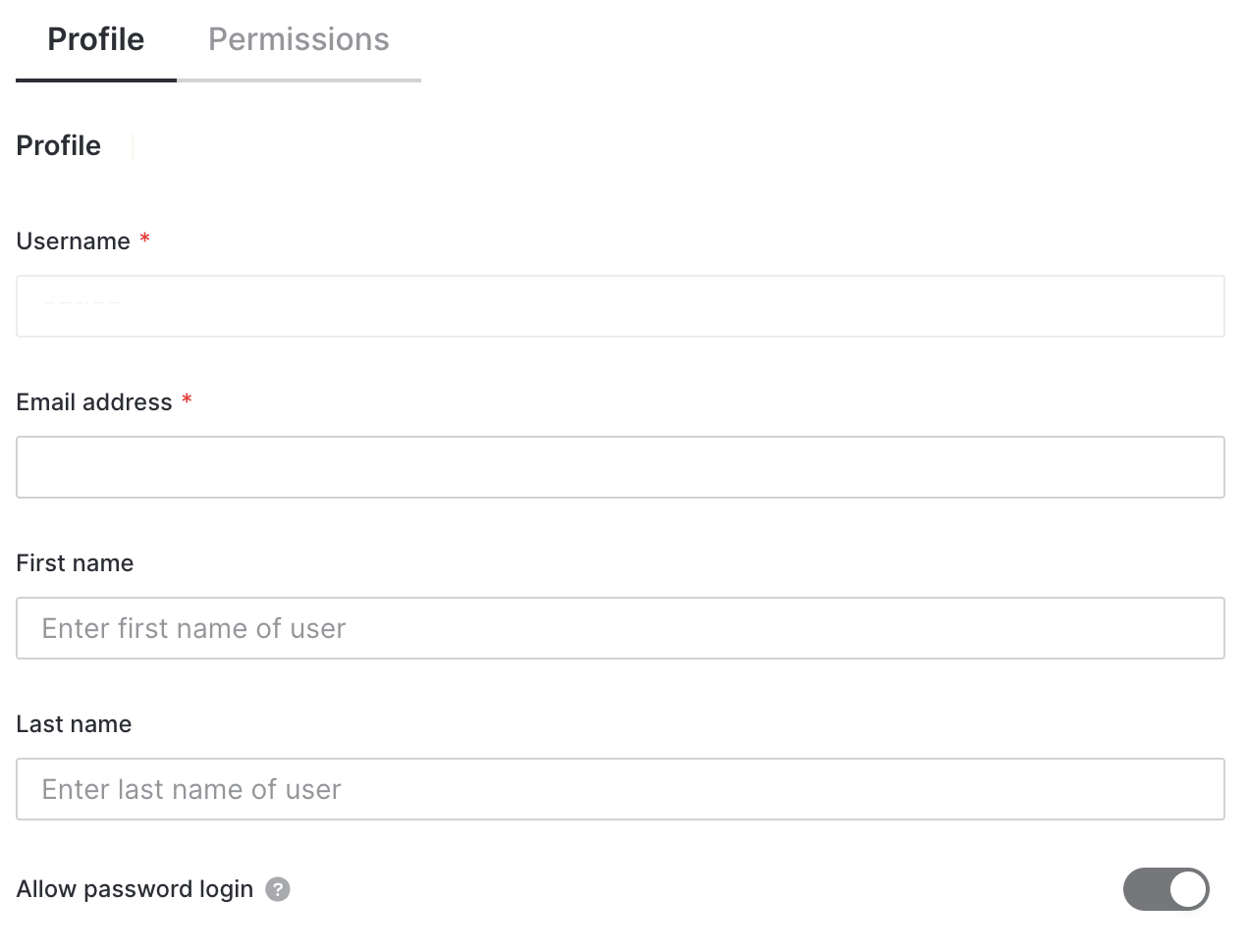
If FIDES__SECURITY__ALLOW_USERNAME_PASSWORD_LOGIN is set to true, administrators can enable password login for individual users through a toggle in the user creation page. This allows specific users to authenticate with username and password even when SSO is the main authentication method.
For security purposes, this setting cannot be changed after user creation. An administrator can enable password login for a user by deleting their account and re-inviting them.
User Invitation Behavior
User invitation emails are automatically skipped for users configured to use SSO authentication. This prevents confusion when a user is expected to authenticate via SSO but receives an email invitation to set a password.