Data Mapping: Monitoring Data Sources
Introduction
Fides Detection & Discovery (D&D) tracks the updates to your organization’s data architecture. When a data source is updated, Fides will report the added, removed, or changed fields as well as suggest data categorizations for those fields.
This tutorial walks through the entire data pipeline, starting from configuration of the dataset, moving through promoting and tagging fields, and finally showing the resulting dataset.
Glossary of Terms
Detection & Discovery (D&D) introduces a few new concepts that are important to understand before you begin:
- Integrations host the connection details to your data store and the configuration for data classification parameters.
- Monitors determine the scope and schedule of detection and discovery tasks.
- Scans are the tasks that Fides executes to detect new or updated data.
- Staged resources are the database assets that are detected by a Scan before they are promoted to a Dataset, and will be classified by the Fides classifier.
- Fides classifier: An collection of models that assign data categories to fields.
Connecting to a Data Store
Navigate to the Integrations tab. Click Add Integration, select the integration type, and provide connection details.
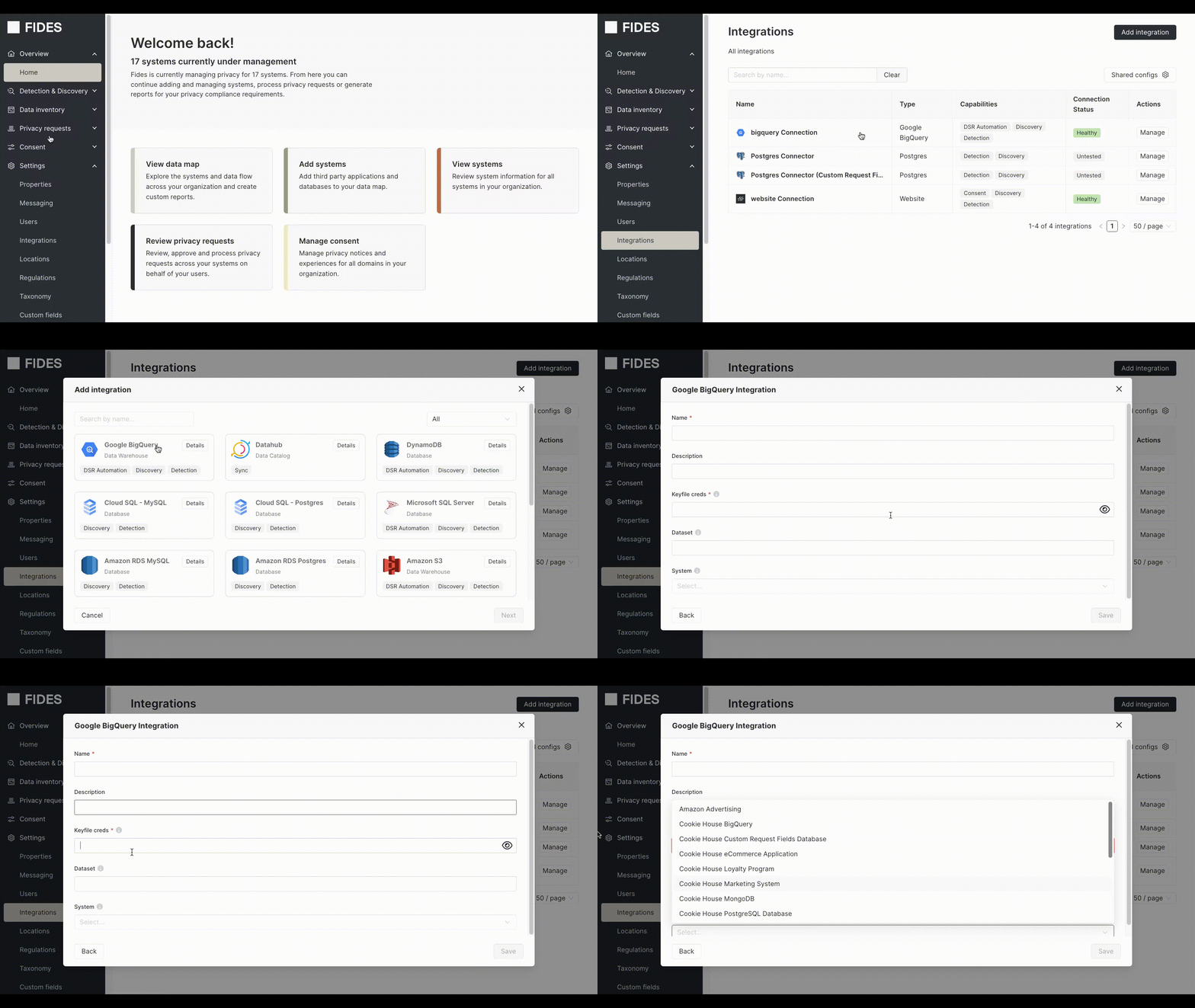
For some data stores, Fides will require a database administrator set up a Fides service account within the datastore with the necessary permissions. This allows Fides to run SELECT, UPDATE, or DELETE queries according to the monitor and privacy request requirements. For instructions on how to configure the service user, click the Details button next to the integration during setup.
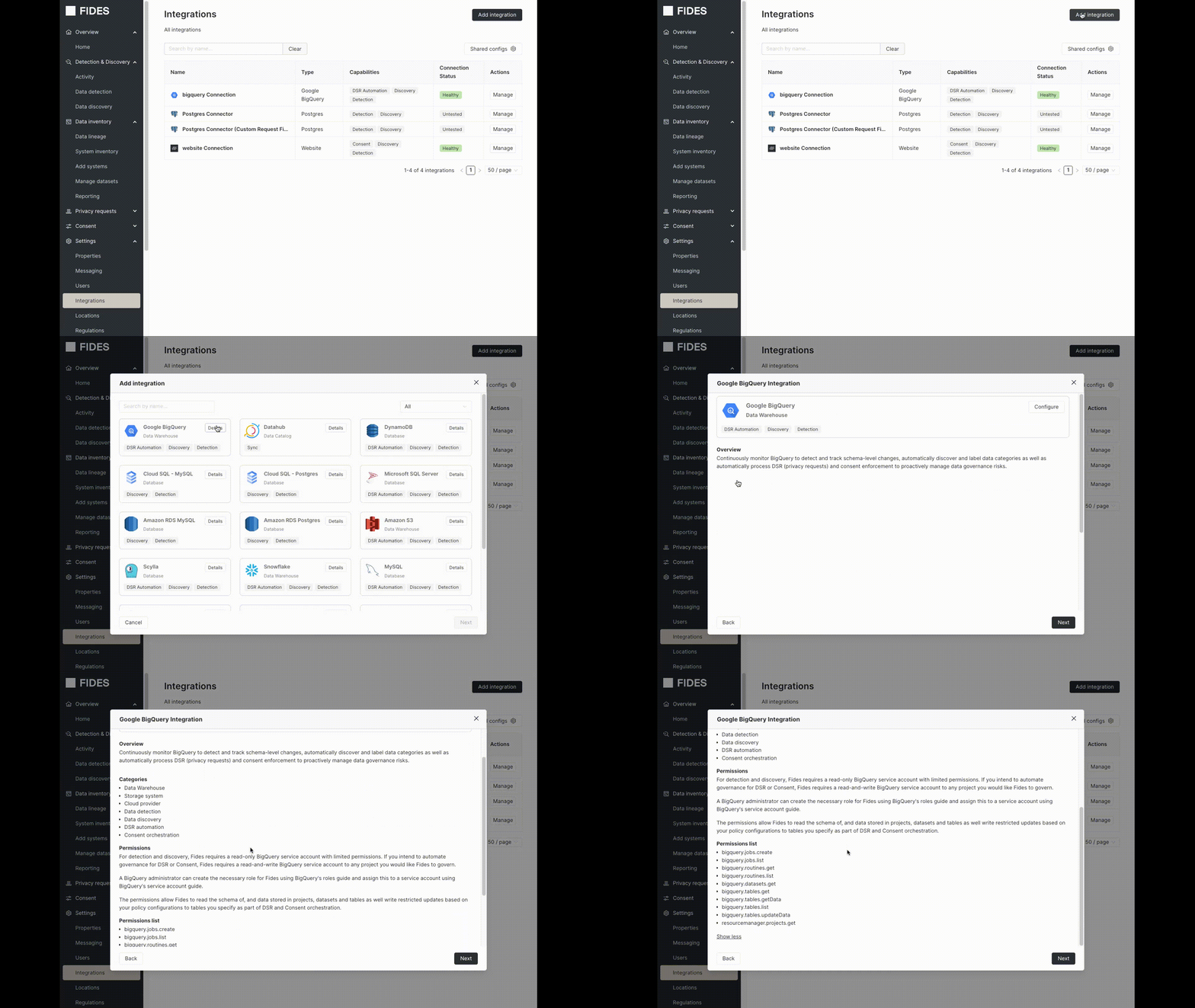
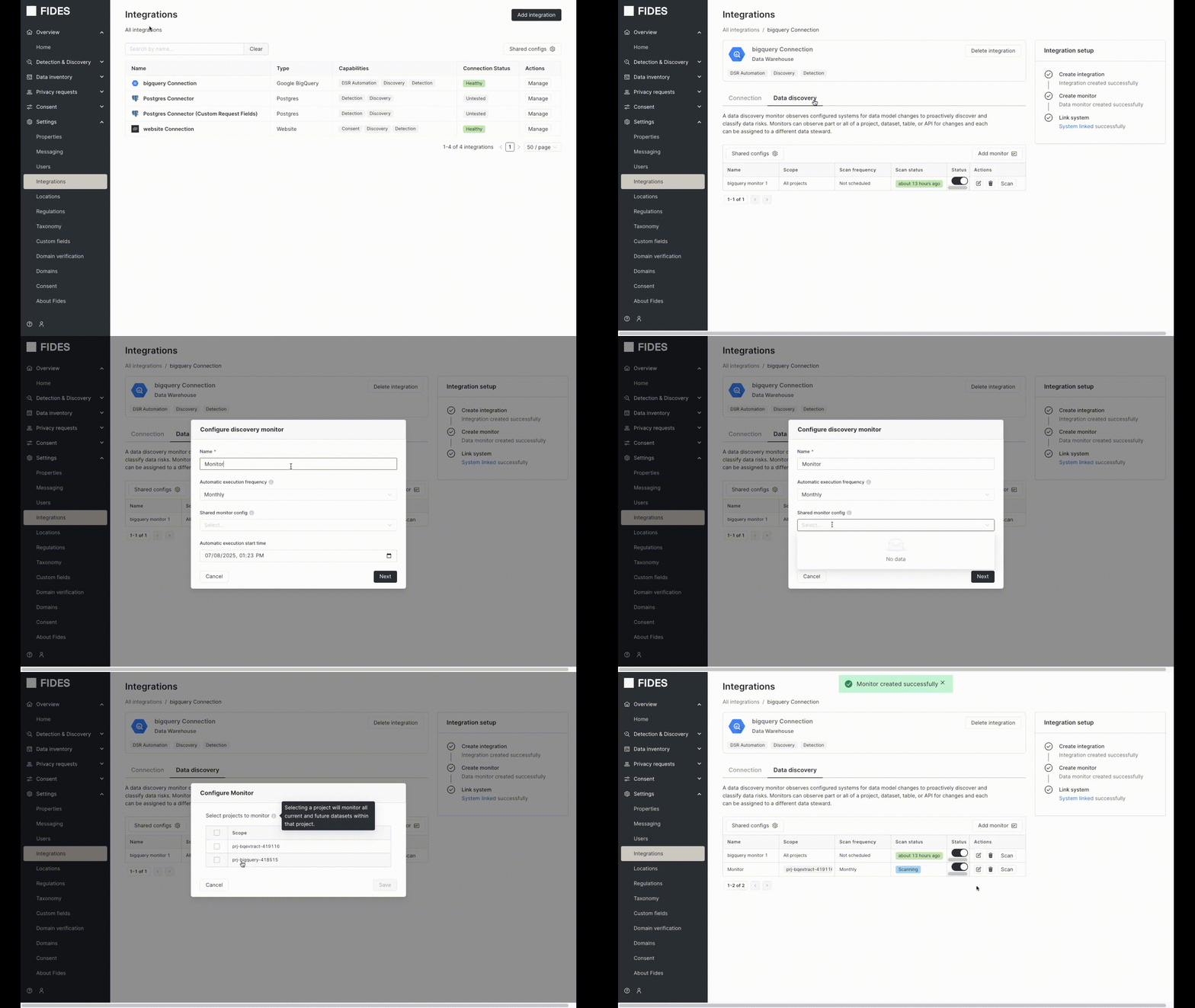
After providing Fides the connection details, click the Test connection button to ensure the integration is configured correctly. Once the connection succeeds, within the integration, click Add Monitor. This monitor controls the scheduling of a Scan. Each Scan that Fides executes checks for any new child assets to the staged resources. Scans can be manually run, or scheduled on a periodic basis.
Detection and Discovery
See Helios for the detection and discovery workflow: navigating the Action Center and Schema Explorer, decisioning staged resources, and promoting to datasets.
Understanding Confidence Scores
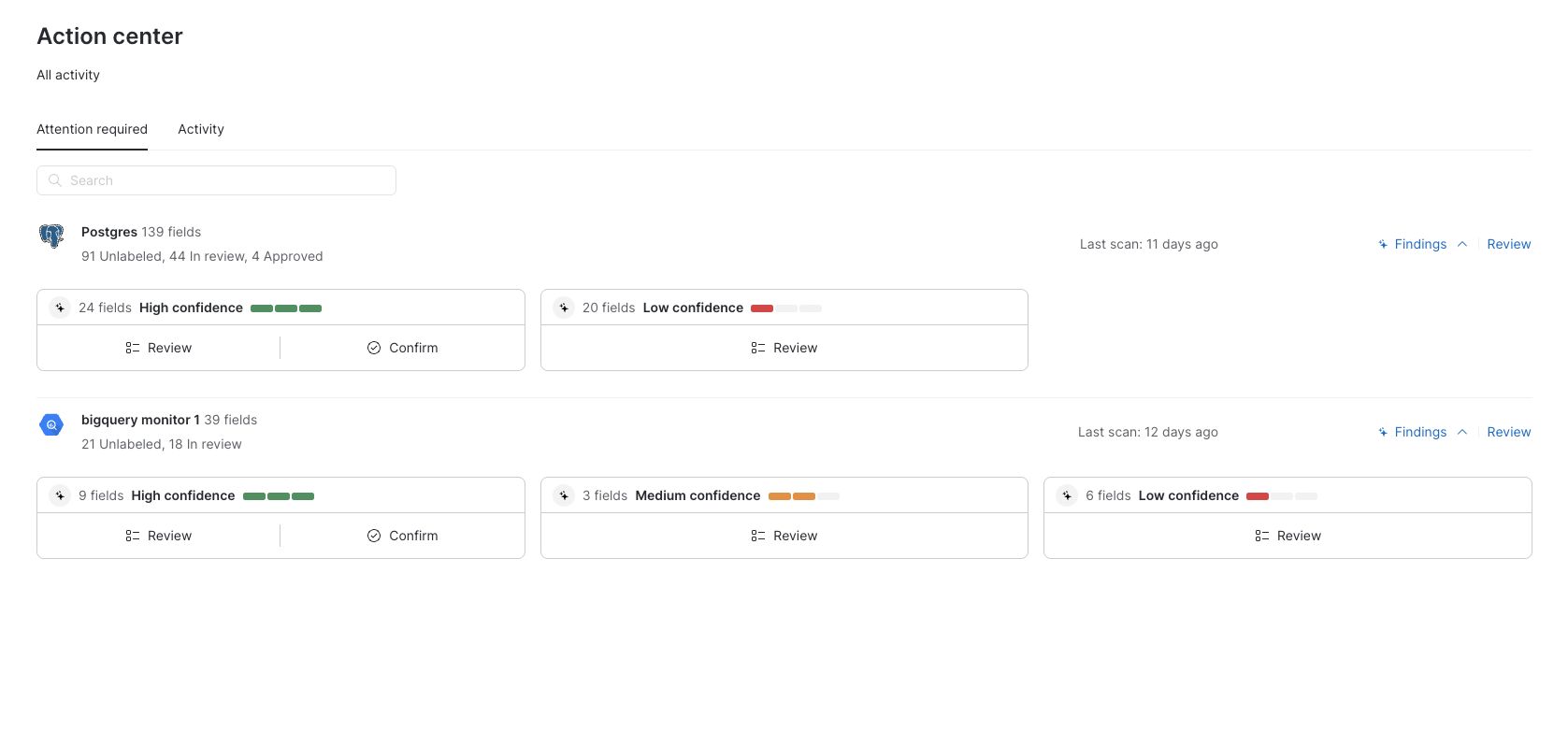
The Fides classifier assigns confidence scores to each classification to help data stewards prioritize their review workflow. Confidence scores indicate how certain the model is about its classification decision:
- High confidence: The model is highly certain about its classification decision. These classifications can often be bulk-approved with minimal review.
- Medium confidence: The model has a reasonable level of certainty, but there is a significant possibility that other data classifications could be viable. These should be reviewed before approval.
- Low confidence: The model is highly uncertain about the classification, suggesting the context is too weak or confusing to make a reliable determination. These require careful review.
- Manual: Indicates that a user has directly applied the label.
Confidence scores are visible in both the Action Center and Schema Explorer, where they can be used to filter and triage classifications. The Action Center provides summary cards showing the distribution of confidence levels across your monitored resources, making it easy to understand the state of your data discovery efforts at a glance.
Datasets
After you confirm fields, new Datasets are created and viewable in the Manage datasets tab. Fields can be updated within the Manage datasets tab as well.
To read more about datasets, see Datasets.
Updating Annotations Directly on a Dataset
When you update a field’s annotation directly in a dataset, it ignores any updates made in the monitor. In other words, changes you make directly on the dataset have the highest priority when assigning data category tags.